A new paint color or roof style can make your house look completely different. But how do you know which one will look good? Free AI exterior design apps let you upload a photo of your house and see the changes before spending any money. You can test colors, siding, and different house styles in just a few minutes.
The problem is that not every app is truly free. Some give you a few designs, while others ask for card details or add watermarks. We tested 10 AI exterior design apps to see what each offers and which ones are worth trying.
The best free AI exterior design app depends on your project. DecorAI is a good choice for full house makeovers, while HomeGPT helps with design ideas and rough material costs. Neighborbrite works best for gardens and yards. For free exterior designs without a card or watermark, FreeRedesign is worth trying. Check each app's free limits before choosing one.
Best Free AI Exterior Design Apps at a Glance
The table shows what each app is best for, its main features, and what you can use for free. Compare them to find one that fits your home project.
| App | Our Rating | Best For | Key Features | Free Access & Pricing |
|---|---|---|---|---|
| DecorAI.io | 4.3/5 | Full house makeovers | 67 exterior styles, 20+ design tools | 3 designs during a 1-day free trial; card required |
| REimagineHome | 4.1/5 | Homeowners and real estate agents | Exterior redesign, landscaping, virtual staging | 5 free designs; watermark on downloads |
| RoomsGPT.io | 4.0/5 | Quick house style changes | Photo redesign, 60 styles, garden design | 3 free daily credits without signup; watermark |
| Spacely AI | 3.9/5 | Interior designers and architects | Style presets, text prompts, 3D rendering | 40 free credits; watermark-free downloads |
| mnml.ai | 4.0/5 | Architects and designers | Exterior rendering, landscaping, sketch design | 100 free credits; no card required |
| HomeGPT | 4.5/5 | Homeowners planning renovation costs | Exterior redesign, material estimates, cost guides | 2 free designs daily; no card or watermark |
| Neighborbrite | 4.0/5 | Garden and yard makeovers | Landscape redesign, plant lists, garden editing | 3 free designs daily |
| Paintit.ai | 3.8/5 | Exterior colors and materials | Photo redesign, color and material changes | Free access; watermark on downloads |
| VisualGPT | 4.2/5 | Beginners trying house styles | Photo upload, style presets, downloads | Free; no signup, card, or watermark in our test |
| FreeRedesign | 4.4/5 | Free exterior design ideas | Photo redesign, multiple styles, PNG downloads | 5 designs per hour; no signup or watermark |
Free plans and prices were checked in October 2026. Features, prices, and free limits may change. Check each app's website for the latest details.
How We Tested These AI Exterior Design Apps
We tested 10 AI exterior design apps to see how well they work. Each app was checked for ease of use, design options, and how it changes a house photo.
Our ratings are based on five things:
- design features
- ease of use
- free plans
- image results, and
- download options
We also checked if each app needs a payment card or adds a watermark to free images. DecorAI is our own tool, but we use the same rating method for all 10 apps. Free plans and prices can change, so check each app's website before signing up.
1. DecorAI - Redesign Your Whole House Exterior

Our Rating: 4.3/5
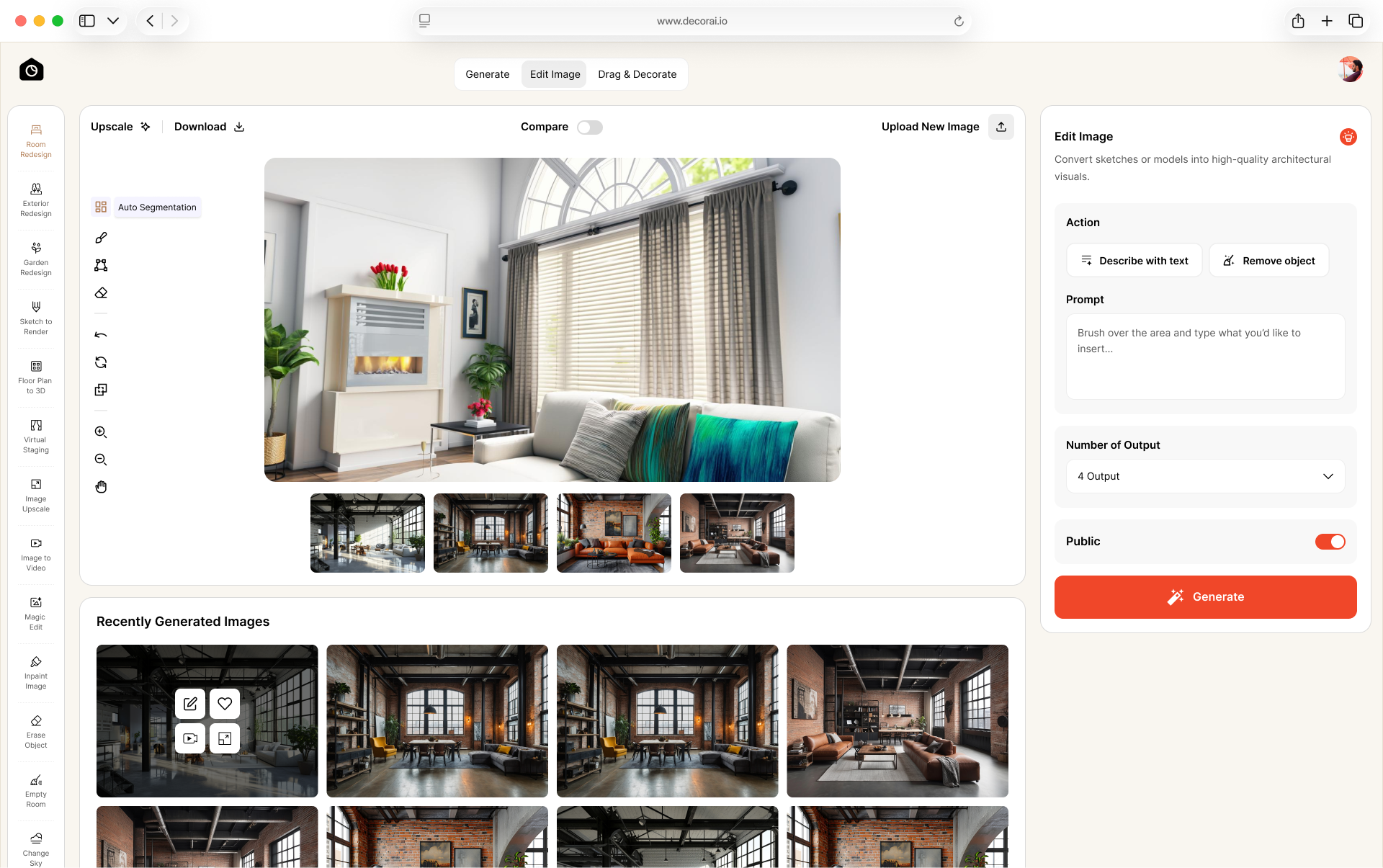
DecorAI helps you redesign your home exterior using a photo. You can change the paint colors, roof, doors, windows, and other details to give your home a new look. It offers 67 exterior styles, including modern, farmhouse, Mediterranean, and Craftsman. Compare different designs of your house and choose the look you like best.
DecorAI has 175 design styles in one place. You can use these styles to check ideas for redesign your house.
Planning to update your rooms too? Check our guide to the best AI interior design tools to find apps for your next indoor project.
Is DecorAI free?
DecorAI offers a 1-day free trial with 3 full-quality designs. You need a payment card to start the trial. If you want to continue using the tool after the trial, paid plans start from $24/month.
Is DecorAI worth trying?
Yes. DecorAI is a good choice if you want to give your whole house a new look.
- You can try 67 exterior styles.
- It has more than 20 tools for indoor and outdoor design.
- A payment card is required to start the free trial.
Best for: Homeowners who want to redesign their house exterior, rooms, and garden in one place.
2. REimagineHome - Redesign Your House and Yard

Our Rating: 4.1/5
REimagineHome lets you upload photos of existing spaces and create new design ideas. Its tools cover exterior changes, landscaping, interior design, and virtual staging. You can start with a photo of your house or yard and see how different design choices might look before making changes in real life.
What makes it useful?
REimagineHome supports several home improvement projects in one place. You can use it for exterior makeovers, garden updates, or interior design without needing a separate tool for each task.
Is REimagineHome free?
New users get 5 free designs without a credit card. However, downloaded designs from the free plan include a watermark. If you want watermark-free images, you'll need to check the available paid plans. The Essential plan at $19 per month for 30 credits.
Is it worth trying?
Yes. REimagineHome works well for house and yard makeovers.
- Try new ideas for your house, rooms, and garden.
- New users get 5 free designs without a payment card.
- Free downloads have a watermark.
Best for: Homeowners who want to redesign their house exterior or improve their yard.
3. RoomsGPT - AI House Exterior Design

Our Rating: 4.0/5
RoomsGPT helps you see how your house might look with a new style. First, upload a photo of your house. Then, choose the look you like and let the tool create a new design. You can try 60 different styles, such as modern, farmhouse, traditional, and Scandinavian. Each style gives your house a different look. You can try a few ideas and choose the one you like most before making any real changes to your home.
Is RoomsGPT free?
RoomsGPT gives you 3 free design credits every day, and you don't need to sign up. If you create a free account, you get 4 credits daily and 20 extra credits. Your unused daily credits won't carry over to the next day. Free downloads have a watermark and paid plans remove the watermark and start at $4.99 per month.
Is it worth trying?
Yes. RoomsGPT is useful if you want to try different house styles quickly.
- You can choose from 60 different styles.
- Three free credits are available each day without signing up.
- Free downloads have a watermark.
Best for: People who want to try different looks for their house and garden using photos.
4. Spacely AI - House Exterior and Garden Design

Our Rating: 3.9/5
Spacely AI helps you create new designs from photos of your home. You can choose a ready-made style or describe the look you want. This makes it easier to try different ideas without needing design skills. Spacely AI also offers tools for interior design, landscaping, and 3D models. This app is mainly built for interior designers, architects, and other professionals, but homeowners can also use find design ideas.
Is Spacely AI free?
Spacely AI offers a free option with 40 credits. Paid plans are also available, with prices starting at $25 per month. The number of designs you can create depends on how many credits each tool uses. Before signing up, check whether the free credits cover exterior design and whether downloaded images have a watermark.
Is it worth trying?
Spacely AI is worth trying if you want more ways to change your designs.
- Choose a style or describe the look you want.
- The free plan comes with 40 credits.
- Some tools may take time to learn.
Best for: Interior designers, architects, and homeowners working on design projects.
5. mnml - House Exterior and Landscape Design

Our Rating: 4.0/5
mnml.ai lets you create new design ideas from photos and sketches. You can try different looks for your house exterior, change the style of a building, or see new ideas for your garden. The tool also offers features for interior design and other projects. You can choose a ready-made style or use your own image as a starting point. This helps you see how your ideas might look before making changes to your home.
Is mnml free?
mnml offers 100 free credits. You can use its tools to create designs, but the number of images you can generate depends on how many credits each tool uses. Paid plans are also available, starting at $29 per month. Check the current prices and free-plan rules before signing up.
Is it worth trying?
mnml.ai is useful if you want to start with a house photo or sketch.
- Start with a house photo or a simple sketch.
- New users get 100 free credits.
- Some features may take time to learn.
Best for: Architects and designers working with house photos or sketches.
6. HomeGPT - House Exterior and Garden Design

Our Rating: 4.5/5
HomeGPT lets you upload a photo of your house or outdoor space and see how it might look after a makeover. You can try a new style for your house, change its paint color, try different siding, or plan changes to your patio and garden. After uploading your photo, you can compare two design ideas and see the materials, estimated quantities, and typical costs for each.
Is HomeGPT free?
HomeGPT offers 2 free designs per day without a credit card. You can try it without signing up for a paid plan. You can also use its free calculators to estimate the materials needed for projects such as patios, decks, fences, and siding.
Is it worth trying?
Yes. HomeGPT is a good choice if you want design ideas and help with costs.
- You get 2 free designs each day.
- Material lists and rough cost estimates help with planning.
- Actual project costs may be different.
Best for: Homeowners who want to change the look of their house, yard, or patio.
7. Neighborbrite - Free AI Garden and Yard Design

Our Rating: 4.0/5
Neighborbrite helps you create new garden ideas from a photo of your yard. Upload a picture, and you can see how your outdoor space might look with different plants, paths, and other garden features. You can try different styles and adjust how much the AI changes your original yard. You can also save your favorite designs and download the images.
Is Neighborbrite free?
Neighborbrite gives you 3 free designs per day. You can use the free plan to try different looks for your yard and download the results. However, the free plan has limited design creations, and the images are for personal use.
The Pro plan costs $24.99 per month and offers unlimited designs and more ways to customize your garden. The Business plan costs $49.99 per month and includes watermark removal and high-resolution downloads.
Is it worth trying?
Yes. Neighborbrite is a good choice for garden and yard makeovers.
- You can try different plants, paths, and garden styles.
- Free plan gives you 3 designs each day.
- It is not made for full house exterior changes.
Best for: Homeowners and gardeners planning new yard designs.
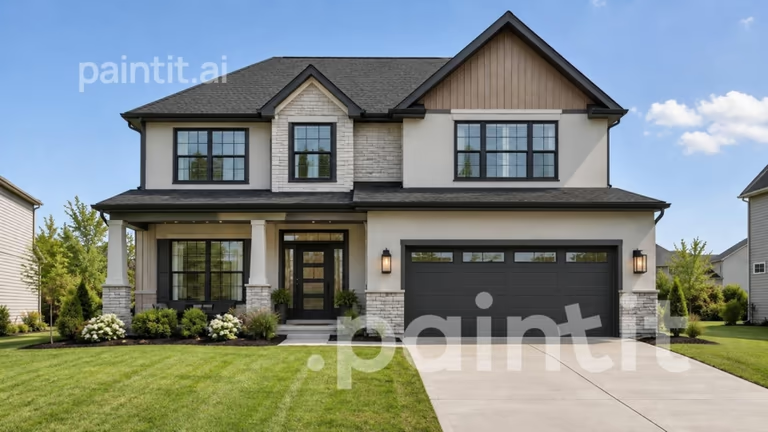
8. Paintit - House Exterior Design Ideas
Our Rating: 3.8/5
Paintit lets you upload a photo of your house and try different exterior styles. You can try new colors, materials, and designs to see how your home might look after a makeover. You can compare different looks before deciding which changes you like. This helps you plan your renovation and choose a style before spending money on the work.
Is Paintit free?
You can try Paintit without entering card details. However, downloaded images have a watermark. Check its current plans if you need images without a watermark or want to use more features.
Is it worth trying?
Paintit is worth trying if you want new ideas for your house exterior.
- Test different colors and exterior styles.
- No payment card is needed to get started.
- Free downloads have a watermark.
Best for: Homeowners who want to test new exterior colors and materials.
9. VisualGPT - Exterior Style Ideas

Our Rating: 4.2/5
VisualGPT lets you upload a photo of your house and see how it might look in a different style. It keeps the main shape of your house while changing its overall look.
You can try different styles without creating an account or learning complicated tools. This makes it easy to compare ideas before deciding how you want to update your home.
Is VisualGPT free?
VisualGPT is completely free to use. You don't need to enter card details or create an account, and you can download your design without a watermark.
Is it worth trying?
Yes. VisualGPT is a good choice for quick house style changes.
- You can try it without creating an account.
- Downloads are available without a watermark.
- It has fewer options for making small changes.
Best for: Beginners who want to try new house styles without signing up.
10. FreeRedesign - Free AI Exterior Design

Our Rating: 4.4/5
FreeRedesign lets you upload a photo of your house and see how it might look in a different style. You can see looks such as modern, farmhouse, Scandinavian, coastal, and minimalist. It also supports room and garden redesign, so you can use it for other home projects.
Is FreeRedesign free?
FreeRedesign is free to use. You don't need to create an account or enter card details. You can make up to 5 designs per hour and download the results as PNG images without a watermark.
Is it worth trying?
Yes. FreeRedesign is a good choice if you want to try designs without paying.
- Make up to 5 designs per hour.
- You can download images without a watermark.
- Windows or doors may look different.
Best for: Homeowners who want to try new exterior styles for free.
How to Use DecorAI for Your Home Makeover
DecorAI has tools for both indoor and outdoor projects. Here's how to use them when planning changes to your home.
- Start with your house: Open DecorAI's AI Exterior Design tool and upload a photo.
- Choose your design: Pick a style and house view. Adjust the settings or add a short note about the changes you want.
- Plan other rooms: Try the AI Kitchen Design tool or AI Bathroom Design tool if you also want to change the inside of your home.
- Update your yard: Use the AI Landscape Design tool for your outdoor space.
Save your favorite designs so you can look at them again when planning your home project.
Are Free AI Exterior Design Apps Really Free?
Some are, but others only let you try a few designs before asking you to pay. Before signing up, check these four things:
1. How many designs can you make?
Some tools give you a few designs when you sign up. Others renew a small allowance each day. Make sure you understand how many designs you can create before you start.
2. Do you need a payment card?
A free trial may still ask for your card details. Check whether the trial becomes a paid subscription automatically and when the first payment will be taken.
3. Can you download your designs?
Some services limit downloads, image quality, or other features on their free plans. Check whether you can save the result you want.
4. What happens when the free allowance ends?
You may need to buy more credits or choose a subscription. Compare the paid price before investing time in a tool.
How to Get Better Results From an AI Exterior Design App
A good photo can help you get better AI designs. A few small steps can also make it easier to find a look you like.
Upload a clear photo of your whole house in daylight. Try one change at a time, such as a new paint color or siding style, so you can compare the results more easily.
Here are a few more tips:
- Keep the house visible: Move cars or bins out of the way if you can.
- Compare a few styles: Save the designs you like and look at them side by side.
- Check important details: Make sure the AI hasn't changed your roof, doors, or windows.
- Keep your first photo: You can use it to check what the AI has changed.
AI designs can give you good ideas, but the final result may look different. Paint colors may change in real daylight, and some changes may not work for your house. Ask a contractor before making big changes.
Final Thoughts
Every home is different, and the best AI exterior design app depends on what you want to change. Some tools work better for a full house makeover, while others are good for gardens or small updates. Start with an app that fits your needs and check what you can use for free. Try a few designs and choose the look you like best.
If you're planning more changes to your home, DecorAI has tools for both indoor and outdoor design. You can find more ideas for your next home project in one place.
Frequently asked questions
The best app depends on your needs. DecorAI is good for full house makeovers, while REimagineHome, FreeRedesign and VisualGPT are good choices if you want to try new styles.
Yes. Some AI design tools allow you upload a photo of your house and create a new exterior design without paying upfront. But, some offer only a few free designs, while others add watermarks to downloaded images.
VisualGPT and FreeRedesign offer free exterior design features without requiring a credit card or account, according to the details checked for this guide.
Many AI exterior design tools can show your house with different paint colors, roof styles, siding, doors, windows, and trim. The results are visual ideas, though, and may not show exactly how the changes would look in real life.
Yes. Neighborbrite focuses on garden and yard design, while HomeGPT can help you plan changes to patios, gardens, and other outdoor areas.
Some do, and others don't. REimagineHome, RoomsGPT.io, and Paintit.ai add watermarks to free downloads according to the details checked for this guide. VisualGPT and FreeRedesign offer downloads without watermarks under their free access.
Yes. DecorAI lets you upload a photo of your house and create a new exterior design. You can try different colors, roof styles, doors, windows, and other details to find a look you like.
DecorAI offers a 1-day free trial with 3 full-quality designs. You need to provide card details to start the trial. Paid plans are available if you want to continue using the tool after the trial ends.