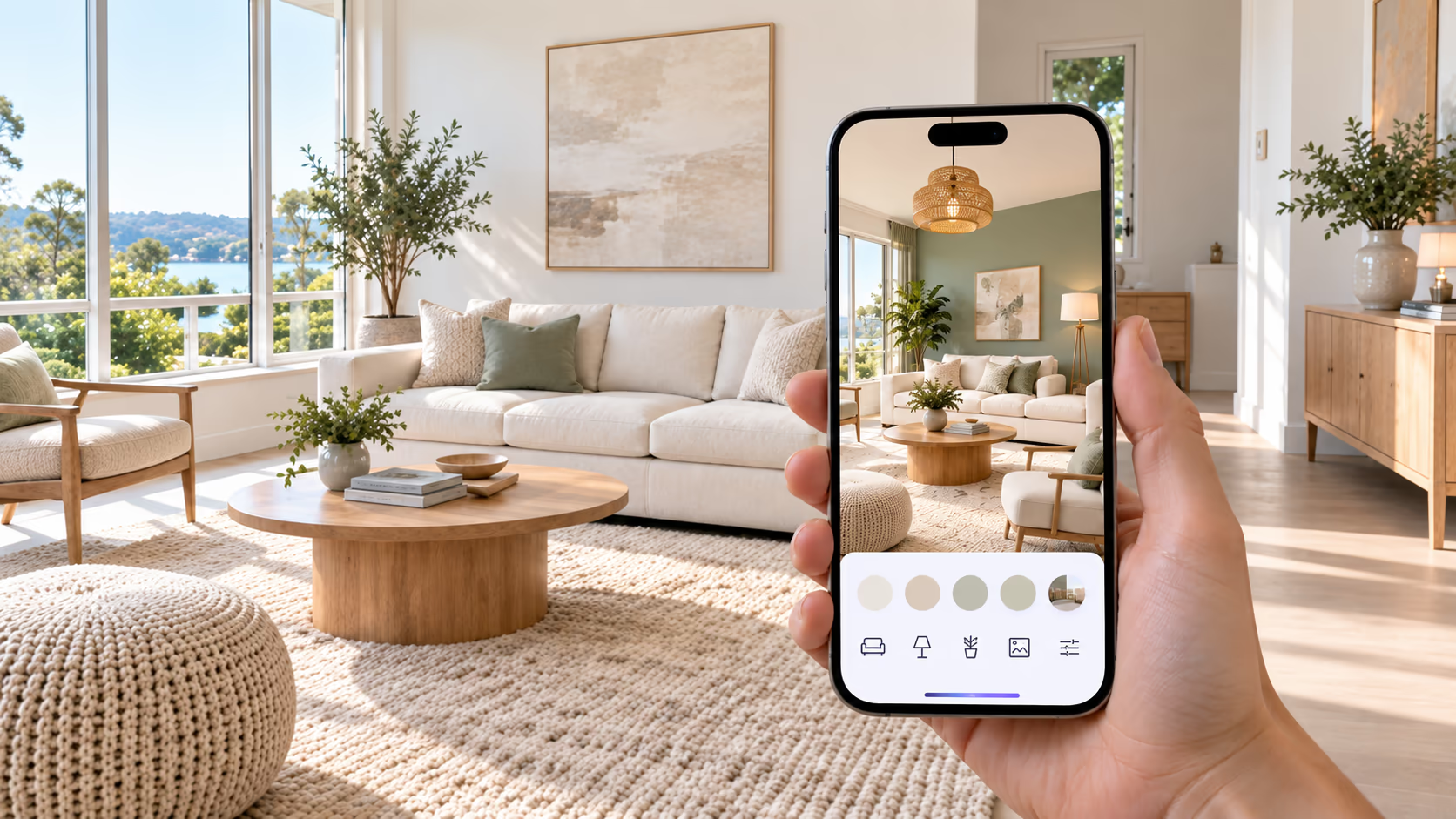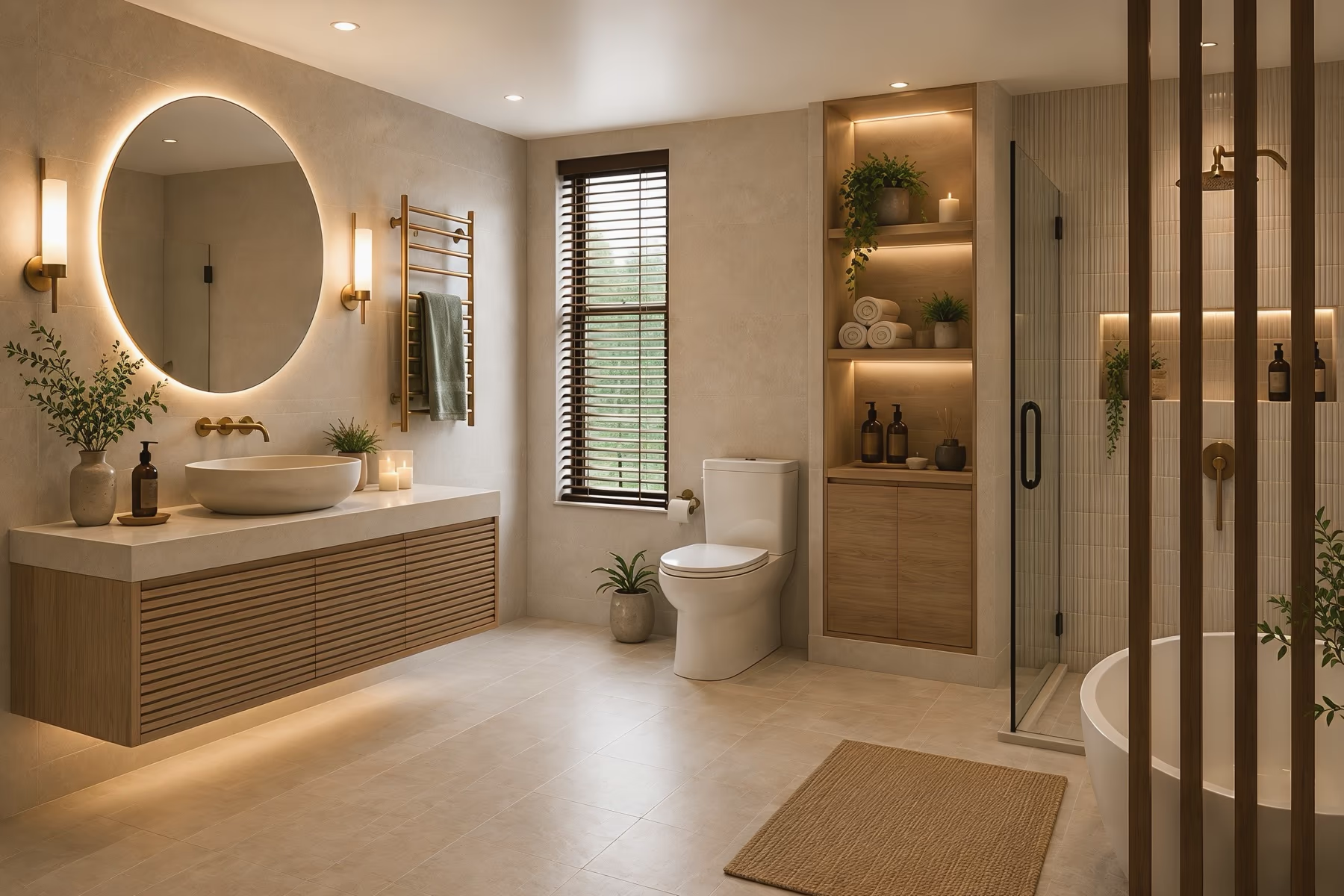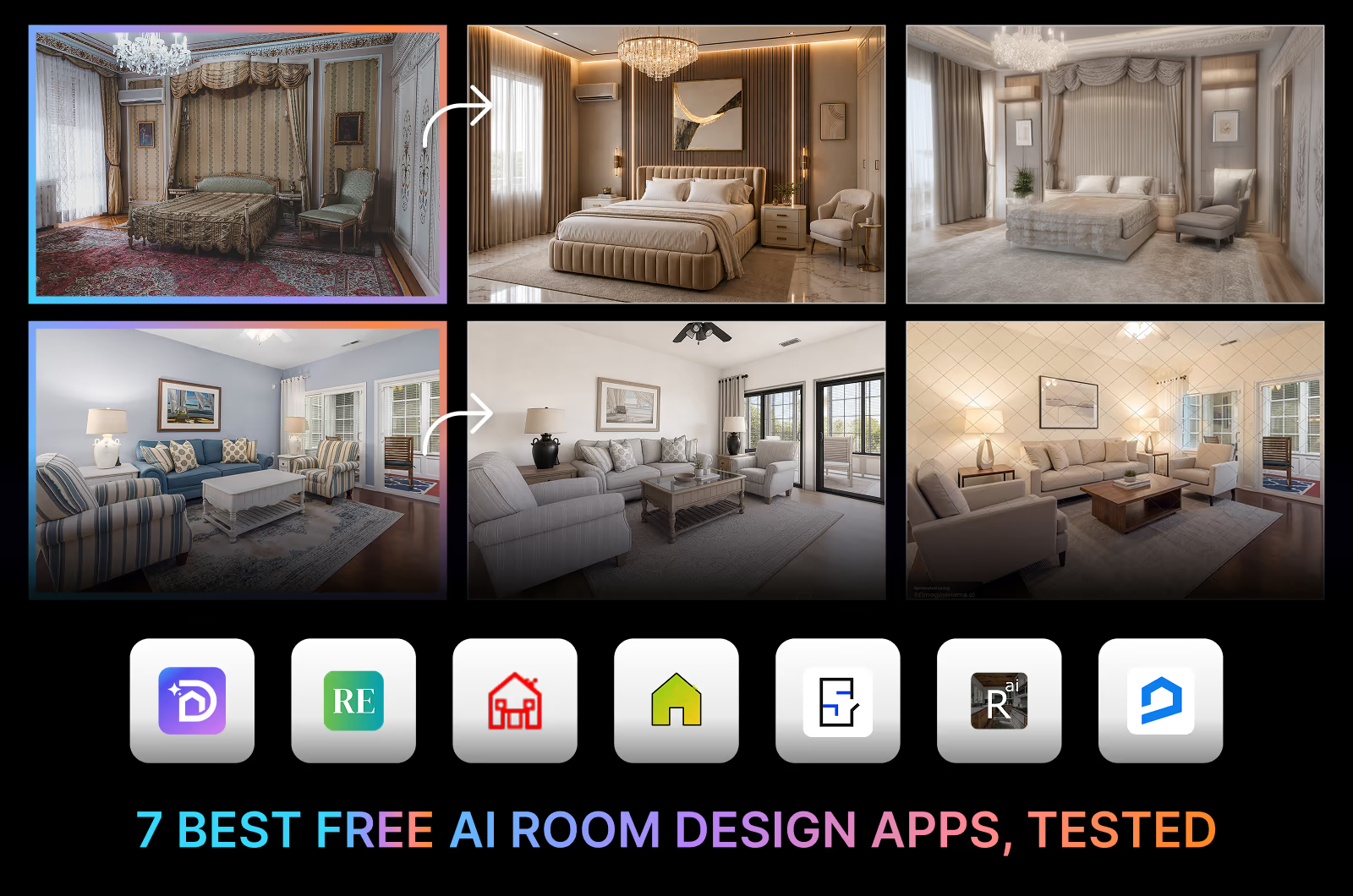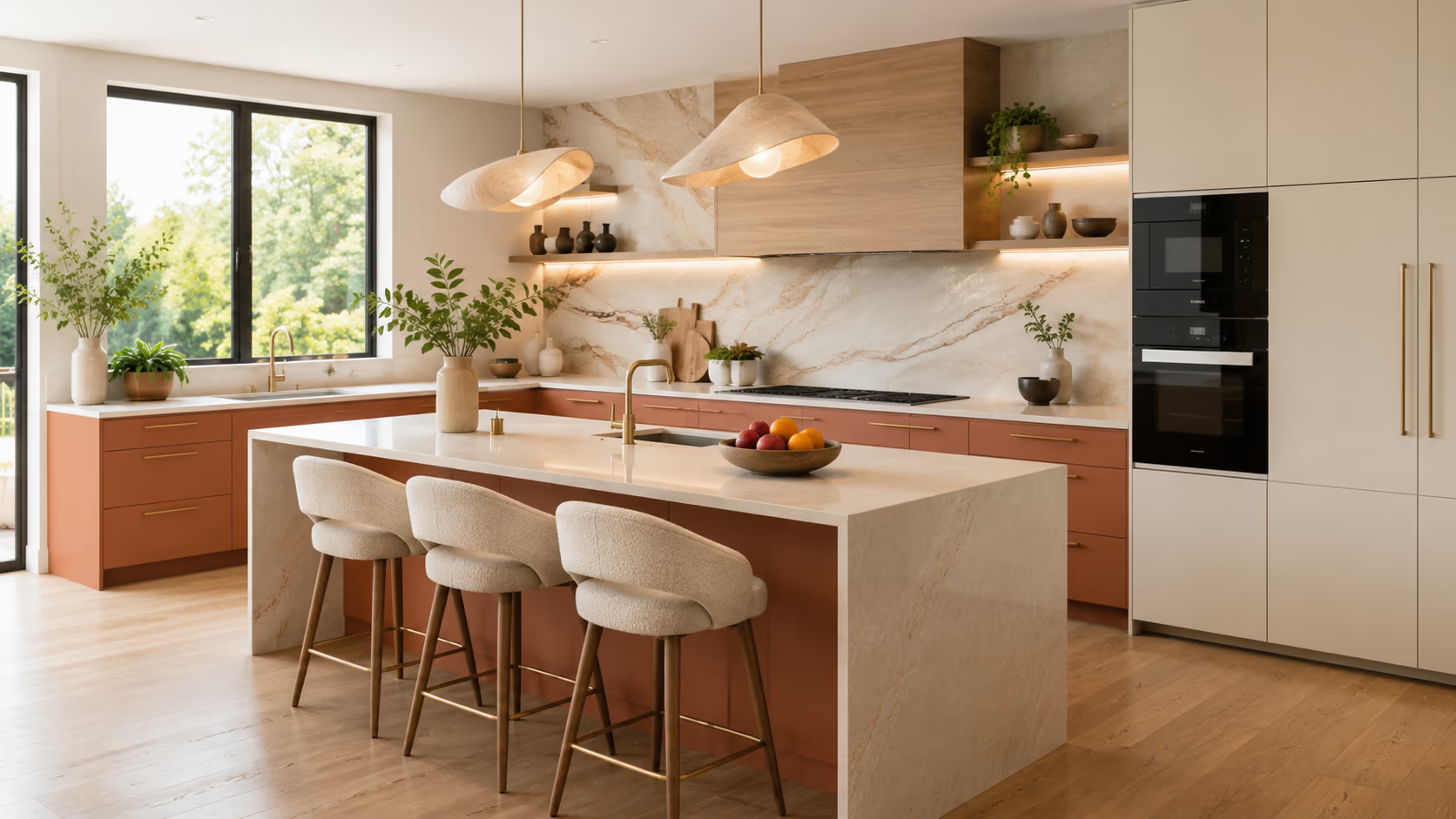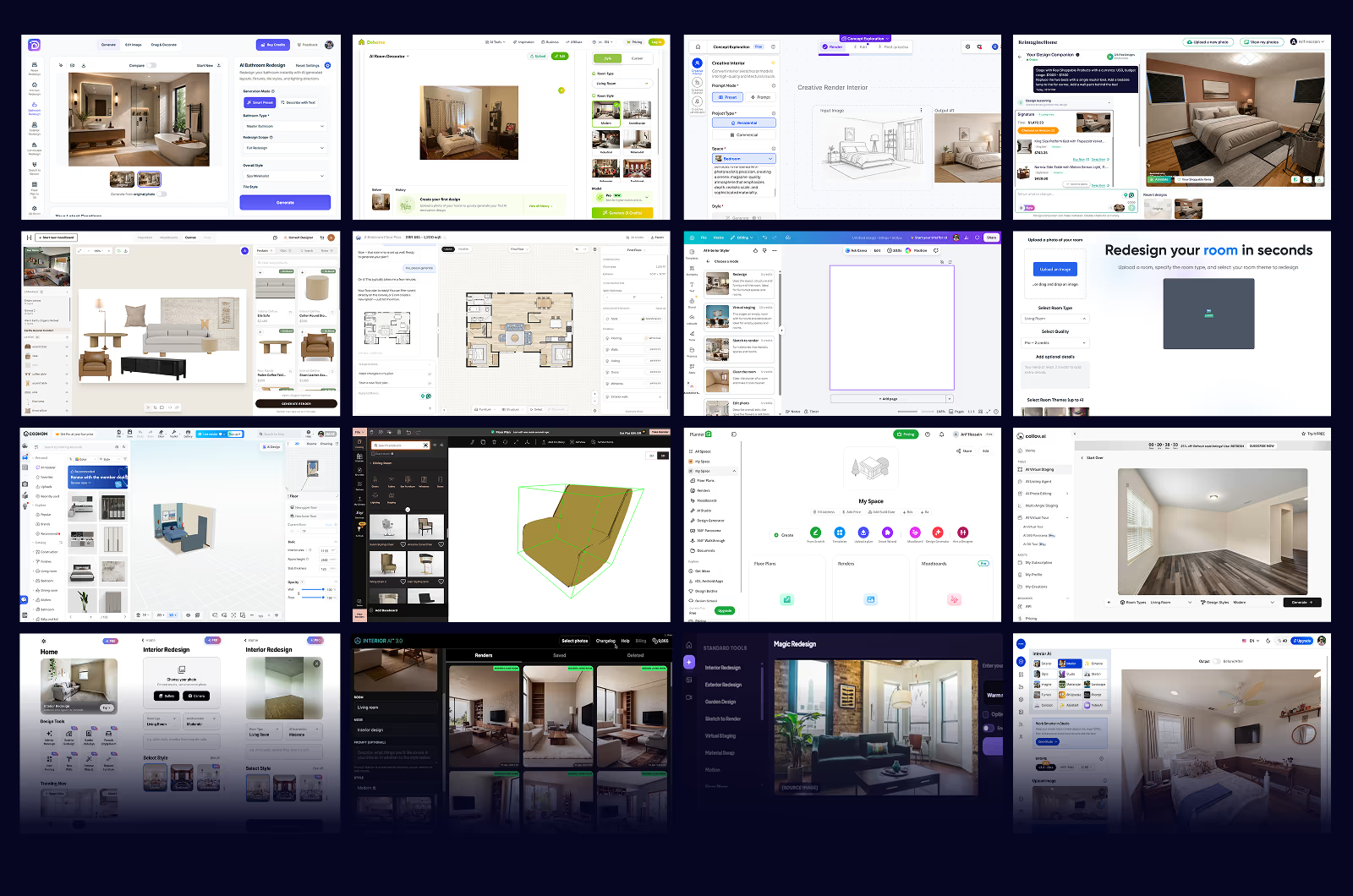
We tested 16 of the best AI interior design apps in August 2026, including DecorAI, Spacely AI, RoomGPT, Interior AI, and other leading AI interior design tools, to find out which AI interior design app delivers the best experience for different users. Every app was tested using the same rooms, evaluation criteria, and hands-on process, ensuring every comparison was fair and consistent. We first tested 7 of these apps in July 2025, so this guide also includes a full retest to see how much the leading AI interior design apps have improved over the past year.
Disclosure: DecorAI is our own product, and this comparison is published on our website. We believe you should know that before reading our results. To keep this review as fair as possible, we tested all 16 apps using the same rooms, the same testing process, and the same evaluation criteria. Every app was reviewed using the same scoring system.
After testing 16 AI interior design apps in July 2025 and retesting them in August 2026, DecorAI ranked first overall for most users. It consistently preserved room layouts better than competing apps, produced the most photorealistic results in our tests, and offered the widest range of interior, exterior, and landscape design tools. Its unlimited design plan also delivers better value than many credit-based alternatives.
That doesn't mean it's the right choice for everyone. Here is who each app suits best.
Below, you'll find our complete rankings, hands-on findings, screenshots, pricing, strengths, limitations, and the reasoning behind every score, making it easier to choose the AI interior design app that best fits your needs.
Which AI Interior Design App Is Right for You?
| Category | Winner | Why |
|---|---|---|
| Best Overall | DecorAI | Highest score, 9.1/10 |
| Best for Homeowners | DecorAI | Easiest to use, unlimited designs |
| Best for Architects | Spacely AI | 3D modeling software integrations |
| Best for Team Collaboration | mnml | Studio interface with access control |
| Best Floor Planning | Planner 5D | Smoothest 3D floor planner |
| Best Budget Option | RoomGPT | Lowest entry price, credit-based |
Quick Comparison: 16 Best AI Interior Design Apps at a Glance
| App | Best For | Key Features | Interior + Exterior | Pricing | Refund Policy | Commercial License |
|---|---|---|---|---|---|---|
| DecorAI | Homeowners, renters, Airbnb hosts, interior designers, and real estate professionals | More than 20 specialized AI tools, including kitchen design, bathroom design, landscape design, virtual staging with 129+ space types and 175+ styles | Yes, both | Free, $24/month
Unlimited Designs |
30-day refund for technical issues | Included on all plans |
| Spacely AI | Homeowners, professional interior designers, architects, and real estate professionals | Interior, exterior, and landscape design with post-processing. SketchUp, Revit, AutoCAD & Rhino integrations | Yes, both | Free, $25, $50, $100/month
Credit-Based |
No-Refund | Pro plans only |
| mnml | Interior designers, homeowners, collaborative design | 12+ AI-powered tools, 40+ architectural styles with SketchUp, Revit, Blender, 3ds Max, Lumion, V-Ray, and Twinmotion compatibility | Yes, both | Free, $29, $49, $119/month
Credit-Based |
No-Refund | Pro plans only |
| Interior AI | Homeowners, real estate agents, interior designers, and design studios | Style transfer, walkthrough video in VR, add furniture | Yes, both | $49, $99, $199/month
Fixed Designs |
No-Refund | Included on all plans |
| ReimagineHome AI | Real product visualization and virtual staging | 15+ AI tools, landscaping, object removal, structural lock, budget controls | Yes, both | Free, $19, $36, $59, $119/month
Credit-Based |
Available | Not stated |
| HomeDesigns.AI | Large renovation and remodeling projects | 7 tools including redesign, declutter, material swap, virtual staging | Yes, both | $27, $29, $37/month
Credit-Based |
Available | Pro plans only |
| Planner 5D | Floor planning and layout visualization | 2D/3D planner, furniture library, AR preview | Interior only | Free, $19.99, $49.99/month
Unlimited Renders |
No-Refund | Not stated |
| Dehome | Homeowners, interior designers, architects, and builders | Interior, exterior, landscape, floor plans, one-time credit purchase system | Yes, both | $9.99, $29.99, $399/one-time
Credit-Based |
Available | Not stated |
| RoomGPT | Basic interior redesigns | Interior design, room restyling, one-time credit purchase system | Interior only | $9, $19, $29/one-time
Credit-Based |
No-Refund | Not stated |
| Remodel AI | Casual users for quick interior design idea generation | Interior, exterior, landscape, staging, paint, flooring, object removal | Yes, both | Free, $10/week
Unlimited Designs |
No-Refund | Not stated |
| Canva AI Interior Styler | Canva Pro users for basic interior redesign and editing | 5 AI design modes, 35 spaces and 35 styles | Yes, both | $34, $50, $168/month
Credit-Based |
No-Refund | Canva Pro required |
| Foyr | Professional collaborative interior design | 2D floor planning, 3D modeling, 60k+ product assets | Interior only | $39, $89, $159/month
Credit-Based |
No-Refund | Included |
| Coohom | Interior designers, architects with 2D/3D modeling software knowledge | Floor planner, room planner, 3D visualization | Interior only | Free, $10, $46/month
Unlimited Projects |
No-Refund | Included |
| Collov AI | AI virtual tours and real estate workflows | Virtual staging, virtual tours, outdoor enhancement, photo editing | Yes, both | Free, $27, $59, $99, $170/month
Unlimited Designs |
Available | Included |
| Maket AI | Architects and builders for residential floor plans | Floor plan generation and layout exploration with AI help | Interior only | Free, $20/month
Credit-Based |
No-Refund | Not stated |
| Havenly | Human + AI interior design service, interior moodboards with real furniture | Professional human designers, real product staging, shopping integration | Interior only | $99, $349/room
One-Time Purchase |
No-Refund | Included |
The table above gives you a quick idea of each tool. But numbers and feature lists do not tell the full story. Below, we have broken down the features, usability, and suitability of each app based on our hands-on testing. For every tool, we have covered what it does, who it is best for, its limitations, pricing, and how we experienced the apps during our test.
How We Tested These AI Interior Design Tools: 5 Criteria
While testing and rating an app, we strictly used these 5 criteria:
- User Experience: Beginner-friendliness was our top priority. We noted how easy it is to get a result.
- Layout accuracy: Did the app keep the real windows, doors, and proportions, or did it create a new room that doesn't match the uploaded one? Most review sites don't check this.
- Photorealism: Does the output look like a photo of a real room, or like a glossy render with melting furniture and awkward lighting?
- Style range: How many genuine styles can we choose, and do they actually look different from each other?
- Price and value: What does it cost? Does it provide the promised value? Is it credit-based, or does it give unlimited AI design options? In this test, we have compared the weekly and monthly pricing.
From this comparison, you can match each app's strengths to what you actually need. See our findings and reasoning, relate them to your requirements, and then decide which one best suits your needs.
16 Best AI Interior Design Apps, Tested and Scored
1. DecorAI
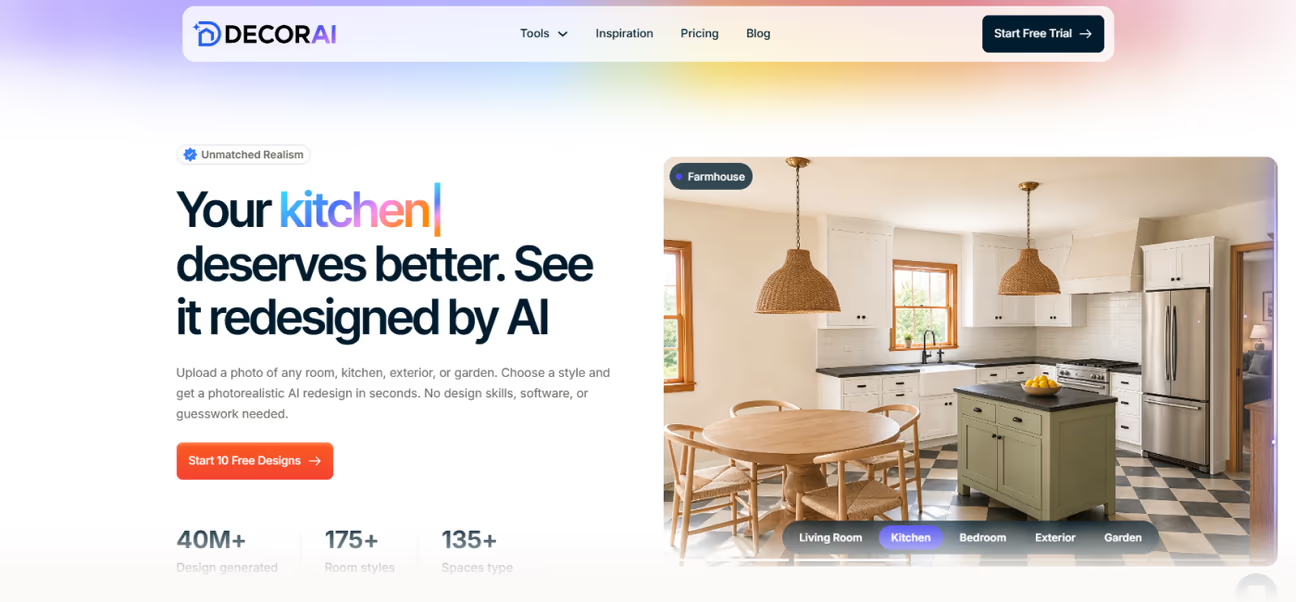
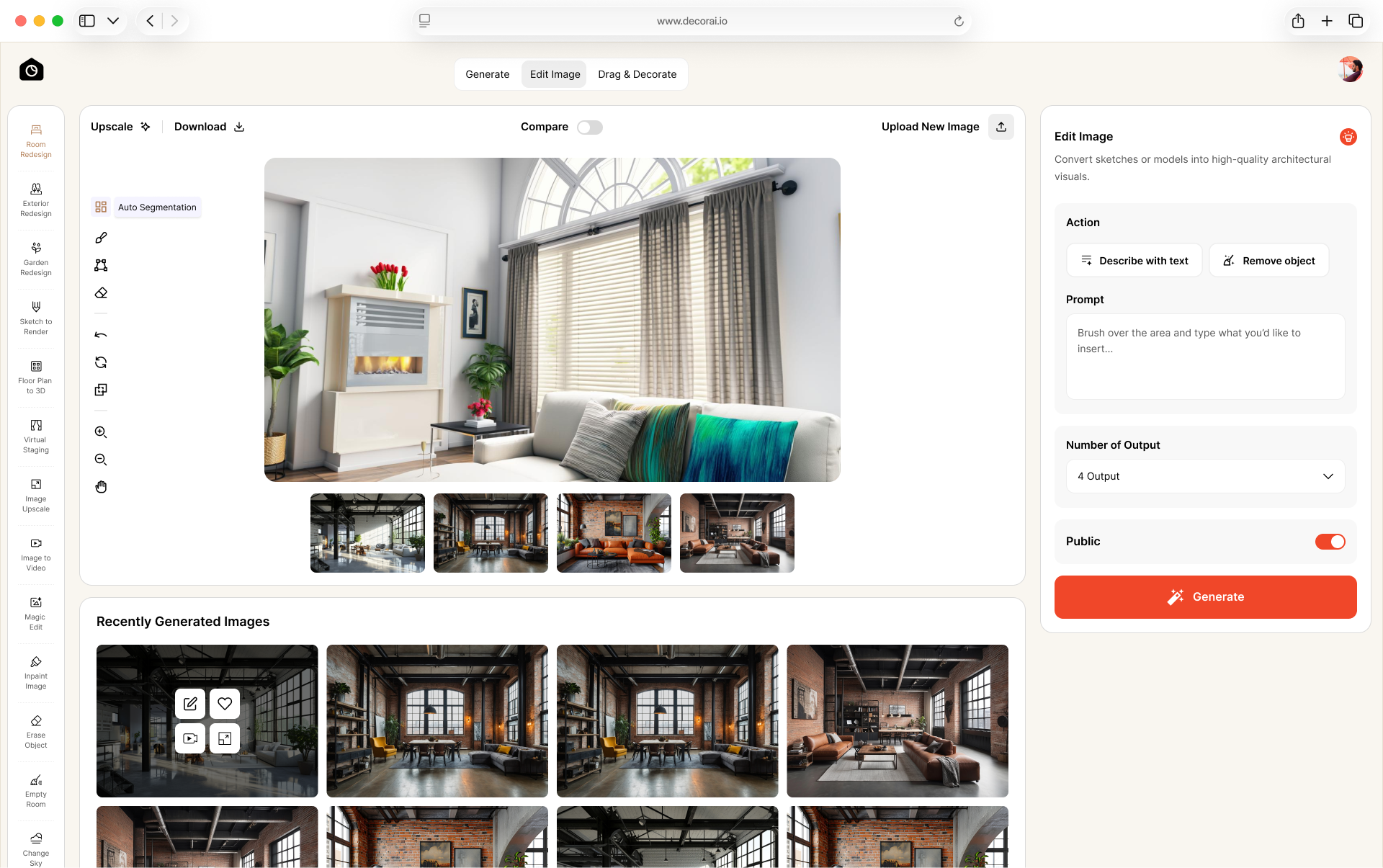
DecorAI is an all-in-one AI interior design app built for every room in your home and outdoor space. It also includes dedicated tools for kitchen design, bathroom design, exterior design, and landscape design, with more than 20 AI tools available in a single workspace.
2025 to 2026: Back in 2025, we rated DecorAI as a solid but limited app with basic room restyling. It featured 4 tools with 60 styles and support for 40 spaces in 2025. The August 2026 version has changed dramatically, with 175+ styles, 129+ spaces, Thinking Mode, and plans with unlimited AI designs. Now it has dedicated tools for Room design, kitchen design, bathroom design, and exterior design, with other specialized tools. It now generates more photorealistic results faster than any other app we tested. The app grew from a single-purpose AI room design tool into an all-purpose AI interior design platform in just one year.
Why is DecorAI the best AI interior design app?
It includes more tools and styles than any other AI interior design app we tested. It generates designs faster than any other app we tested and covers nearly every interior and exterior space type. All that comes at $24/month and a 1-day free trial with 3 full-quality designs. DecorAI lets you start with a furnished or an unfinished space photo and make it look the way you imagine. You don't need design skills or prior knowledge of any tool to use it well.
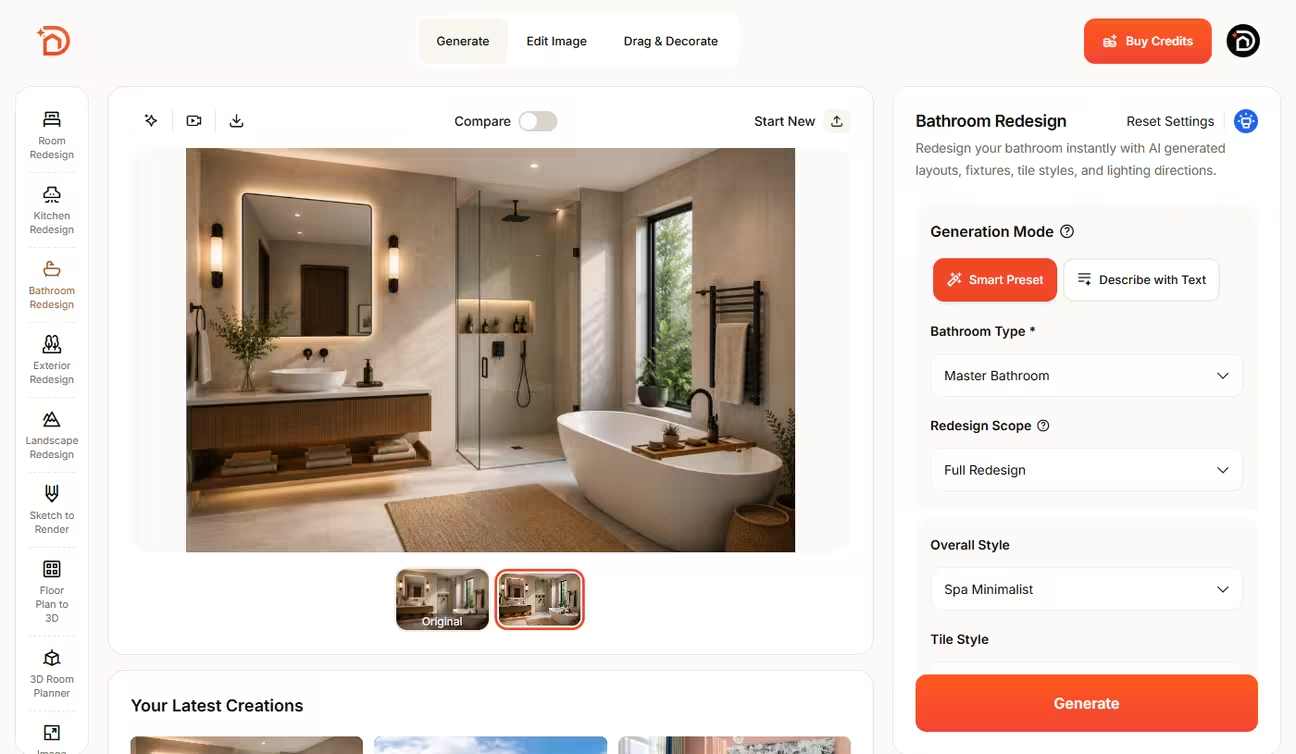
App User Experience: DecorAI gives the best user experience with instant results. The app interface is easy to use for both beginners and experts. More than 20 tools sit in one place. Switching from a room design tool to an editing tool or upscaling is easy. We did not have to re-upload a photo for different tools.
Every design tool has preset and prompt modes. The preset mode comes with custom render settings. This mode helps beginners and general users customize every detail of their AI designs. The prompt mode helps advanced users with detailed prompts.
The AI followed our instructions accurately. The Room Design tool has an extra mode called Thinking Mode. This mode helps with design ideas and improvement suggestions that we couldn't figure out ourselves. The AI designs were sharp, detailed, and photorealistic. The AI preserved room layouts and dimensions accurately.
DecorAI can turn your AI design into a video in two ways. The first is Renovation Video, which starts with your original room photo and slowly transforms it into the final design. It clearly shows every change, just like the before-and-after makeover videos you often see on social media.
The second is Interior Animation. This keeps the finished room the same but moves the camera around it to make the design feel more realistic. You can choose from 31 different camera movements, including panning and tilting. Only a few apps we tested offer both types of AI videos in the same app.
Best For: Anyone looking for an easy-to-use AI interior design app, from homeowners and renters to Airbnb hosts, home stagers, interior designers, architects, and real estate professionals. With support for more space types than any other app we tested, DecorAI is a strong fit for everything from quick room makeovers to professional design projects.
Best Results: Upload a clear, well-lit photo taken from a wide angle with the full room visible.
Pricing: Free Trial, $24/month, $120/6 months, $240/year
Refund: 30-day refund for technical issues
Subscription Type: Unlimited AI designs
Free Trial: Yes, 3 free AI redesigns
Our Rating: 9.1/10
Behind This Rating: DecorAI covers the highest number of tools, spaces, and styles. This AI interior design app is good for both general users and experts. It covers interiors, exteriors, and landscapes in the same interface. It generates faster redesigns with photorealistic output. The Thinking Mode feature gives it a unique advantage over every other app we tested. The pricing is on the lower side, with a 1-day free trial with 3 free full-quality designs. These are the reasons why DecorAI earned the highest rating in our test.
2. Spacely AI
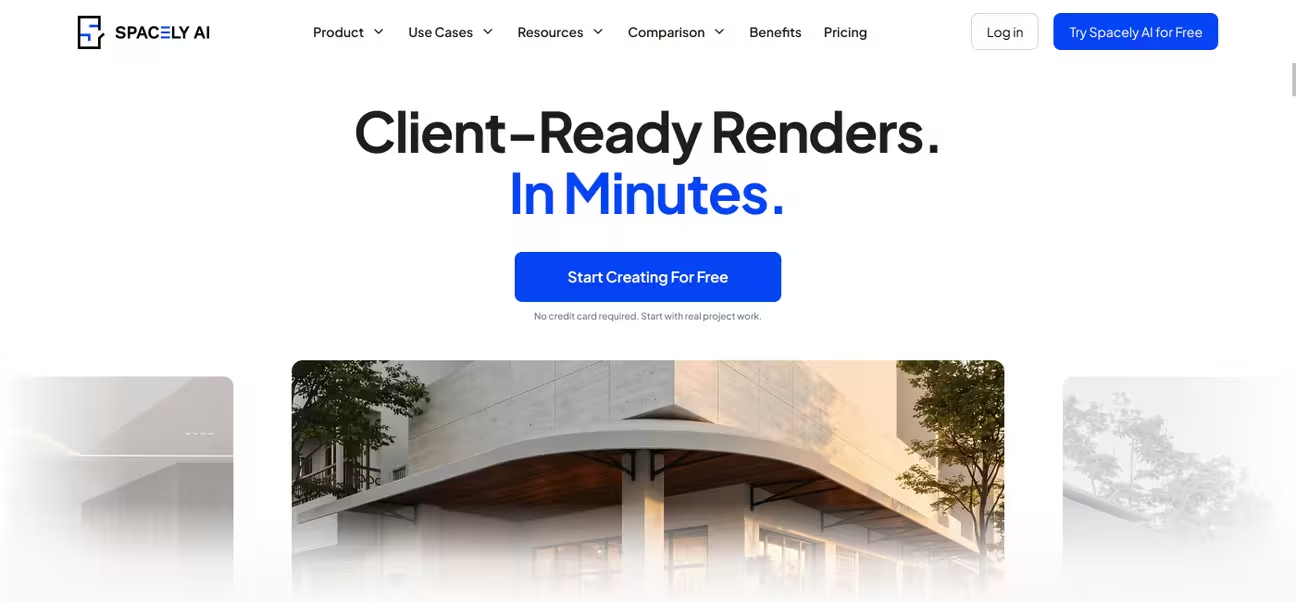
Spacely AI helps homeowners and professionals create realistic renders and revise designs with ease. It helps real estate professionals win client approval without outsourcing. This AI interior design tool is built to target professionals in the interior design industry. The app supports integrations for SketchUp, Revit, AutoCAD, and Rhino. General users can benefit from generating interior and exterior ideas with their own photo. But the workflow, tools, and features are aimed more at professional users.
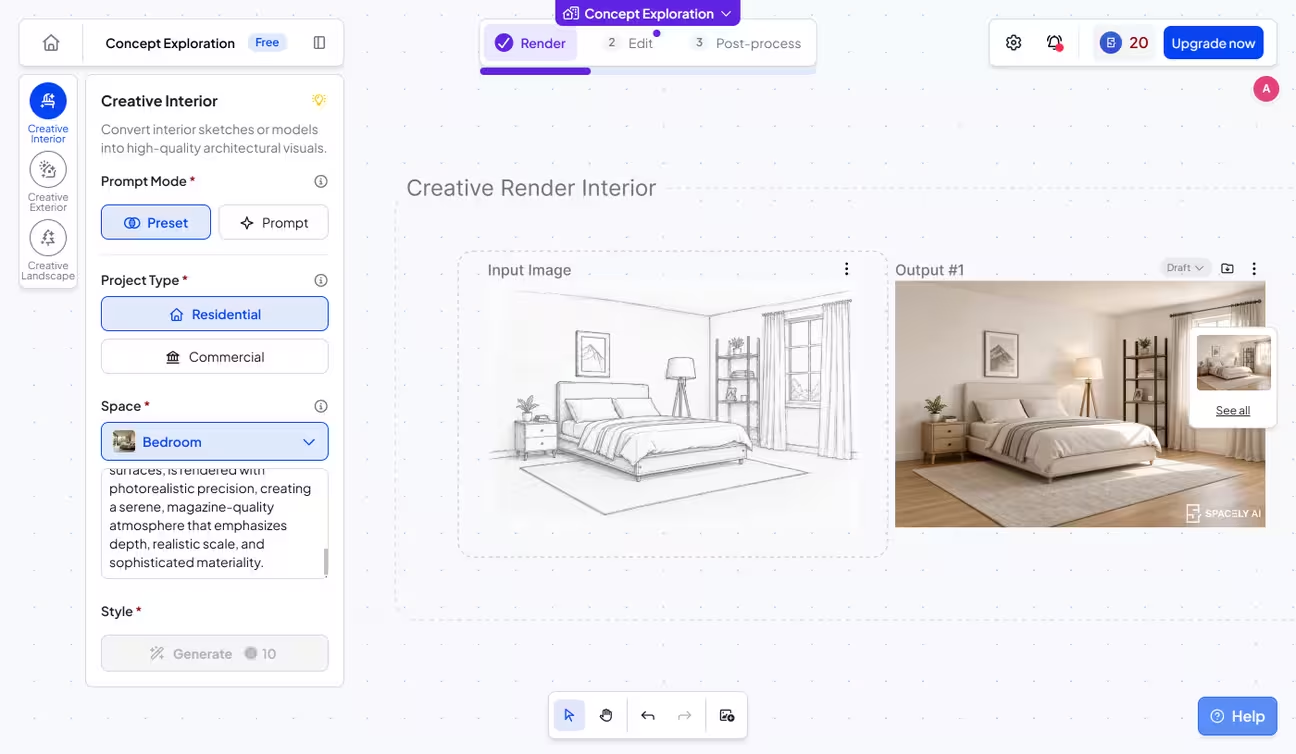
App User Experience: The Spacely AI interface is simple, with visually guided tools. After signing up, you land on a dashboard with a gallery of tools. The app offers both preset mode (select from ready-made styles) and prompt mode (describe what you want in text). Presets with visual guides proved to be helpful for beginners.
The setup with projects and the infinite canvas helps organize files and projects. It allows uploading and working with multiple original photos at a time. The edit feature allows masking and then editing with a prompt. Post-processing has upscale options up to 4K resolution. Software integration like SketchUp, AutoCAD, etc. lets you import and render 3D models for professionals and architects.
Best For: Interior designers, architects, and real estate professionals to prepare mood boards and proposals. Also for homeowners for quick design exploration.
Limitation: Slower image generation and higher pricing based on credits
Pricing: Free and $25, $50, $100/month per user
Refund: No-Refund
Subscription Type: Credit-based
Free Trial: Yes, 40 free credits
Our Rating: 8.3/10
Behind This Rating: The app ranks second because it supports interior, exterior, and landscape design, along with a free trial. Also, the visually guided process and the infinite canvas give Spacely AI a significant advantage in user-friendliness. Many tools in the app are good for general users like homeowners for design exploration. But slower image generation, higher pricing, and a focus on professional users cost it points.
3. mnml
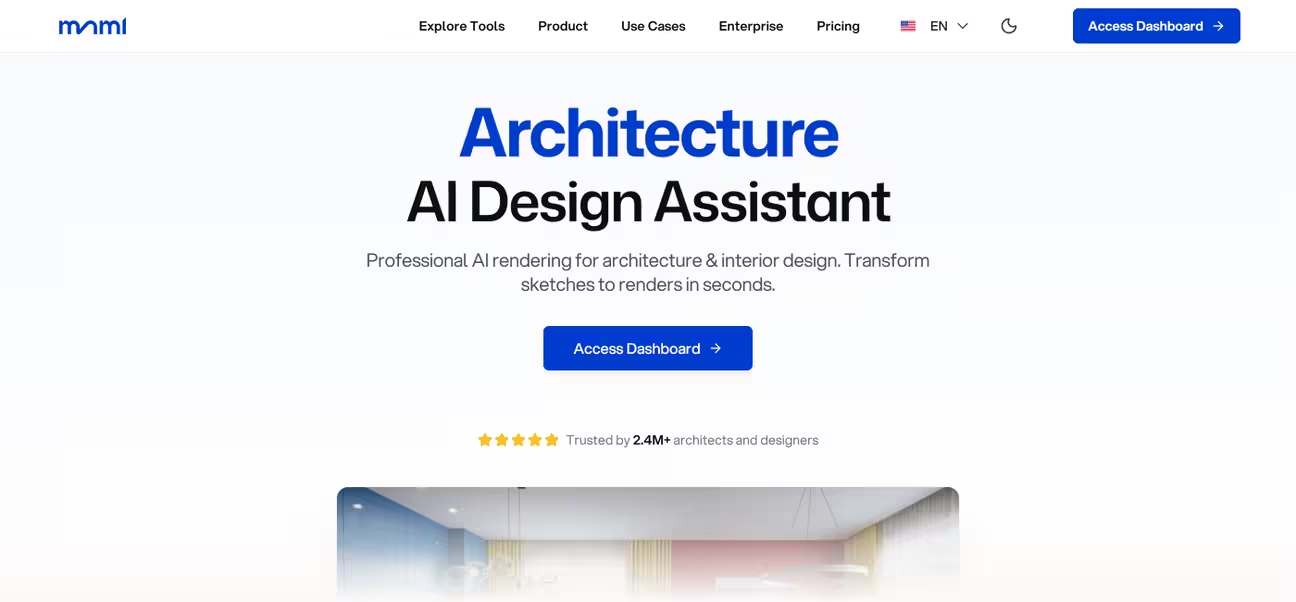
mnml is a collaborative AI interior and exterior design app. It has 12+ AI-powered rendering tools with 40+ architectural styles. Compatibility with SketchUp, Revit, Blender, 3ds Max, Lumion, V-Ray, and Twinmotion gives this app some advantages. You can invite your clients, stakeholders, or teammates to its Studio projects with access controls. Overall, the mnml app focuses on interior designers and professionals to help them with their larger projects.
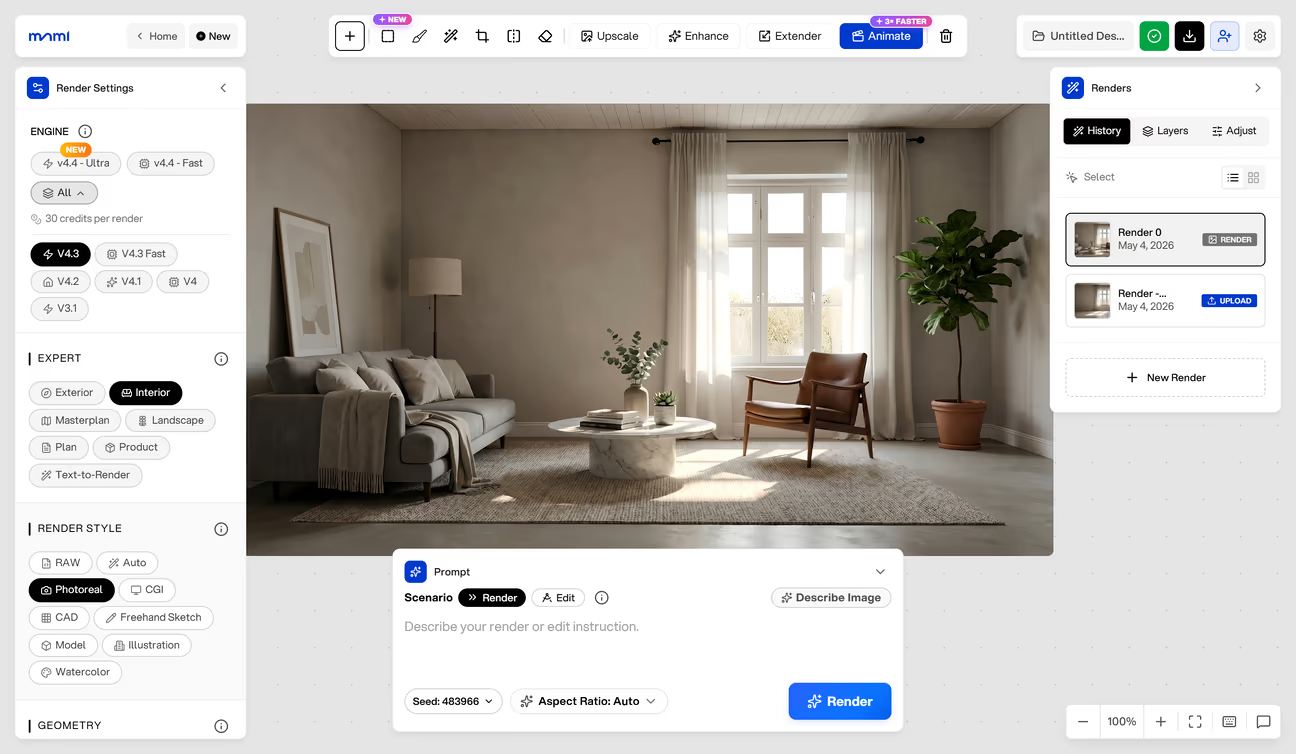
App User Experience: The mnml dashboard opens with a gallery showing 12+ AI-powered tools, including Interior AI, Exterior AI, Landscape AI, Sketch to Image, Video Animate, and more. There are two types of interfaces to work with: a basic interface for general users and a studio interface for advanced users. The basic app interface includes interior and exterior design tools with redesign and enhancement features. The studio interface is an all-in-one workspace with all tools together. This interface is good for professional designers with experience.
The mnml studio features collaborative editing with access control. There are separate workflows for different project types that allow easy project creation and organization. The layer panel gives this app an advantage with a ready-made image asset library for staging. It comes with image assets like home appliances, furniture, plants, trees, etc.
The assets can be added to a design, resized, and repositioned before rendering. You can upload custom assets also. There is an image adjustment feature with filters, lighting, and color controls. The Studio interface has a learning curve, so it is not a good fit for general users.
Best For: Interior designer teams for collaborative editing with the Studio interface. Homeowners and renters for idea generation with a reference image option within the basic app interface.
Limitation: Credit-based, limited number of image generations. Learning curve for general users
Pricing: Free and $29, $49, $119/month per user
Refund: No-Refund
Subscription Type: Credit-based
Free Trial: Yes, 100 free credits
Our Rating: 8.1/10
Behind This Rating: mnml earns its score with 12+ specialized tools and a free trial. The collaboration features with access control add to its score. However, the interior designer-focused interface with a learning curve and higher credit-based pricing make it less accessible for homeowners and renters. That is where it lost points.
4. Interior AI
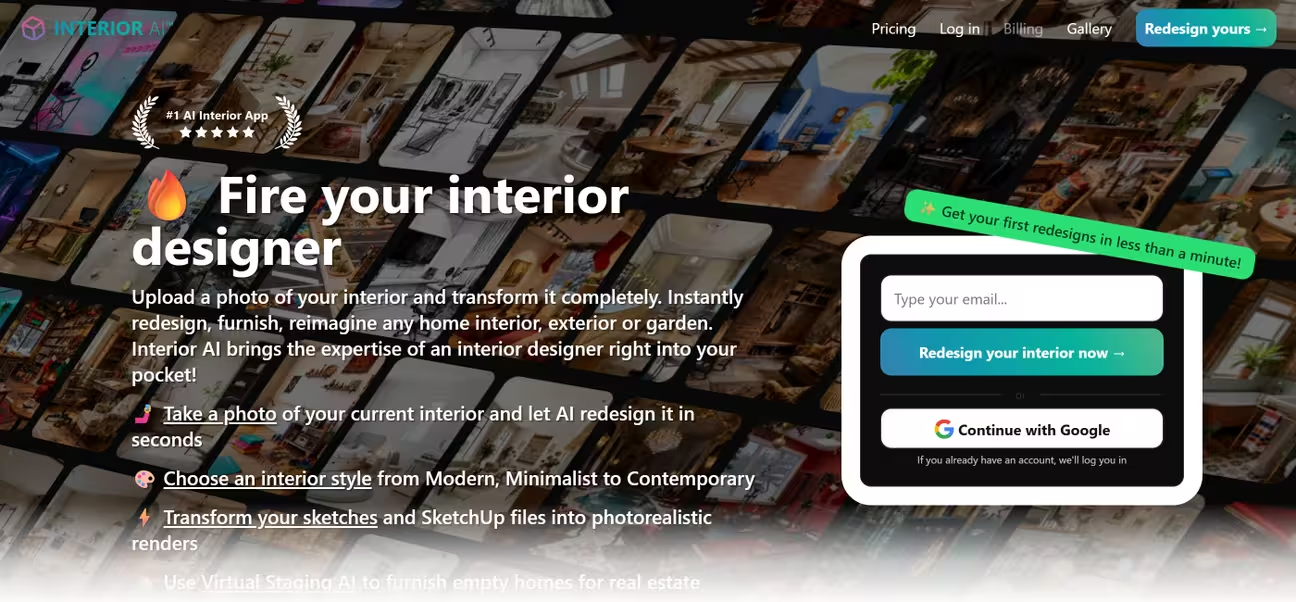
Interior AI lets you upload a photo of your room interior, select a style, and redesign it. This app helps you redesign interiors, gardens, and outdoor spaces. It offers 30+ room types and 50+ interior styles with a 3D flythrough video generation feature.
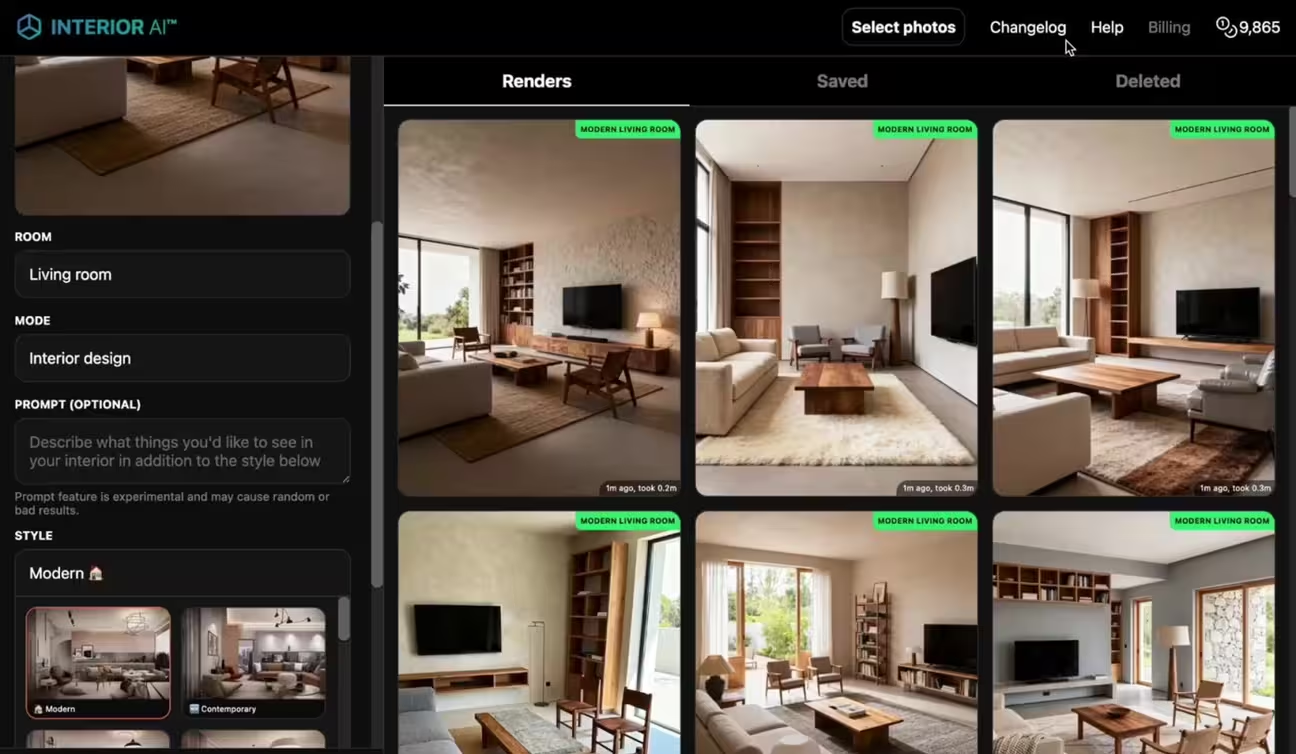
App User Experience: Interior AI has a clean interface with all settings and presets in a single interface. The design process combines preset selections (50+ interior styles) with text prompts for customization. This gives you more control over every design. From upload to render, the process feels smooth and predictable. Example previews with every style preset help you understand what the result will look like.
Best For: 3D flythrough video watchable with VR
Limitation: High pricing. The AI designs miss small details. One of the Pro plans includes low-quality renders
Pricing: $49, $99, $199/month per user
Refund: No-Refund
Subscription Type: Fixed number of AI designs
Free Trial: No
Our Rating: 7.3/10
Behind This Rating: Interior AI gets the rating with a polished user interface with 50+ interior styles and presets. The 3D flythrough video feature that no other app matches makes it stand out. But the fixed-design subscription model with no free trial became its biggest drawback. Also, it offers a Pro plan that includes low-quality rendering.
5. ReimagineHome AI
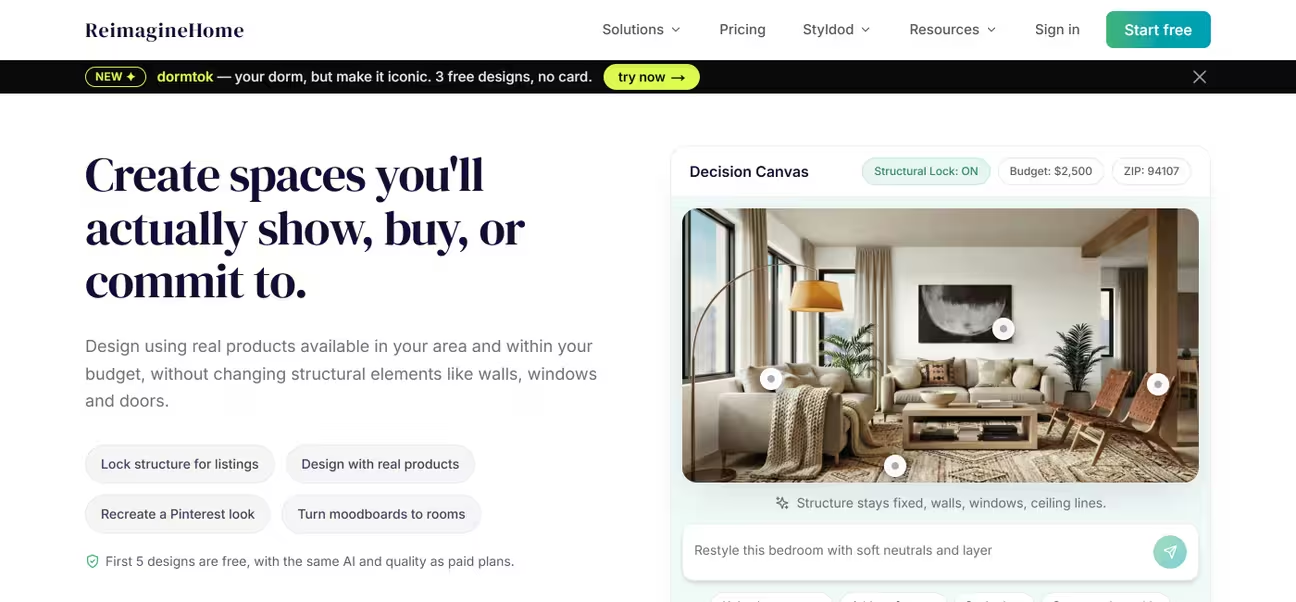
ReimagineHome AI is an all-in-one AI interior design and virtual staging app. It has 15+ design tools, including virtual staging, room redesign, landscaping, object removal, sky replacement, day-to-dusk conversion, and real product visualization. The platform focuses on decision-making over exploration.
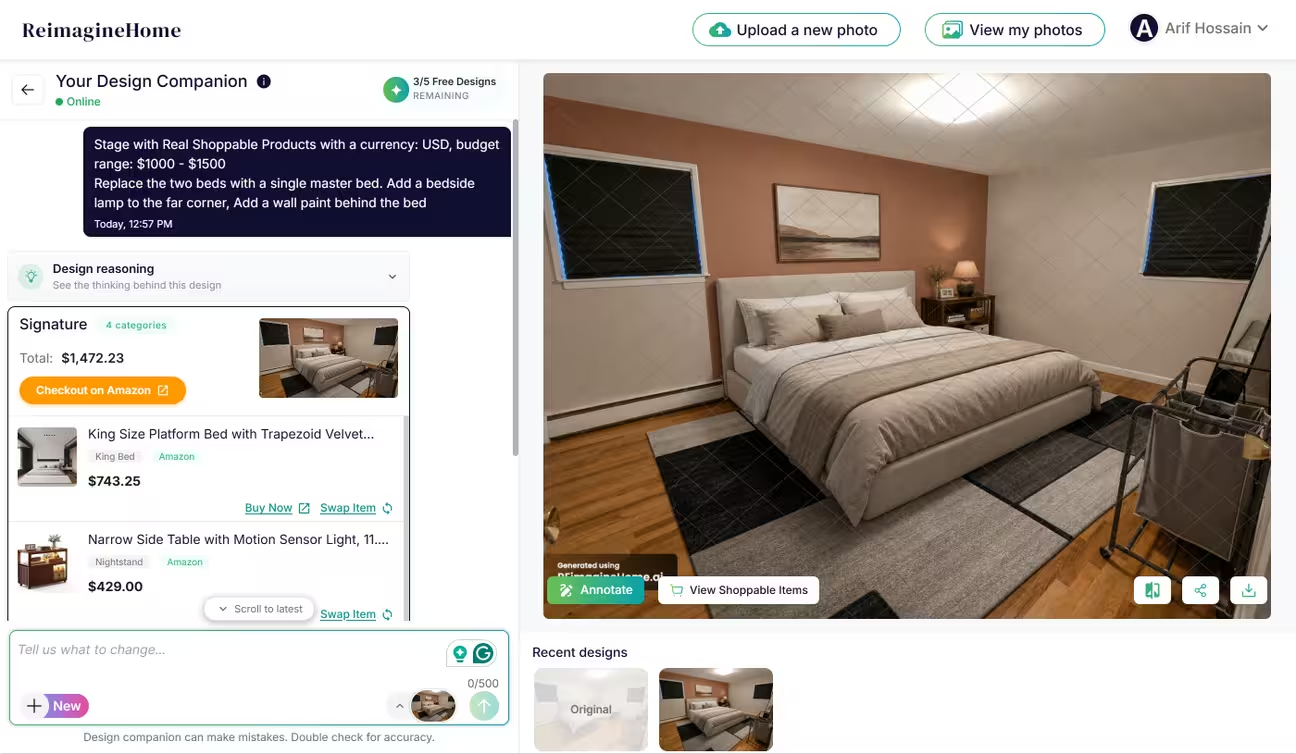
App User Experience: The app keeps the process simple, guiding you through step-by-step budget and prompt inputs. After uploading a photo, it requires entering a budget for the renovation. Then it requires a prompt to instruct the AI. The Decision Canvas shows real products available in the given area (via ZIP code) that fit the given budget and style. It provides reasoning behind the generated design suggestions. We found the prompt-based approach limiting for general users like homeowners and renters. It requires clearer instructions to get the best results.
Best For: Interior visualization with real shoppable products
Limitation: Prompt-only mode with no render presets. Credit-based higher pricing plans
Pricing: Free and $19, $36, $59, $119/month per user
Refund: Available
Subscription Type: Credit-based
Free Trial: Yes, 5 free AI redesigns
Our Rating: 7.2/10
Behind This Rating: ReimagineHome AI stands out for its 15+ tools and landscape design support. The decision canvas with ZIP-based product matching, reasoning, and budget control features makes it stand out among the apps. But the prompt-only process with no guided presets makes it less accessible for beginners and casual users.
6. HomeDesigns.AI
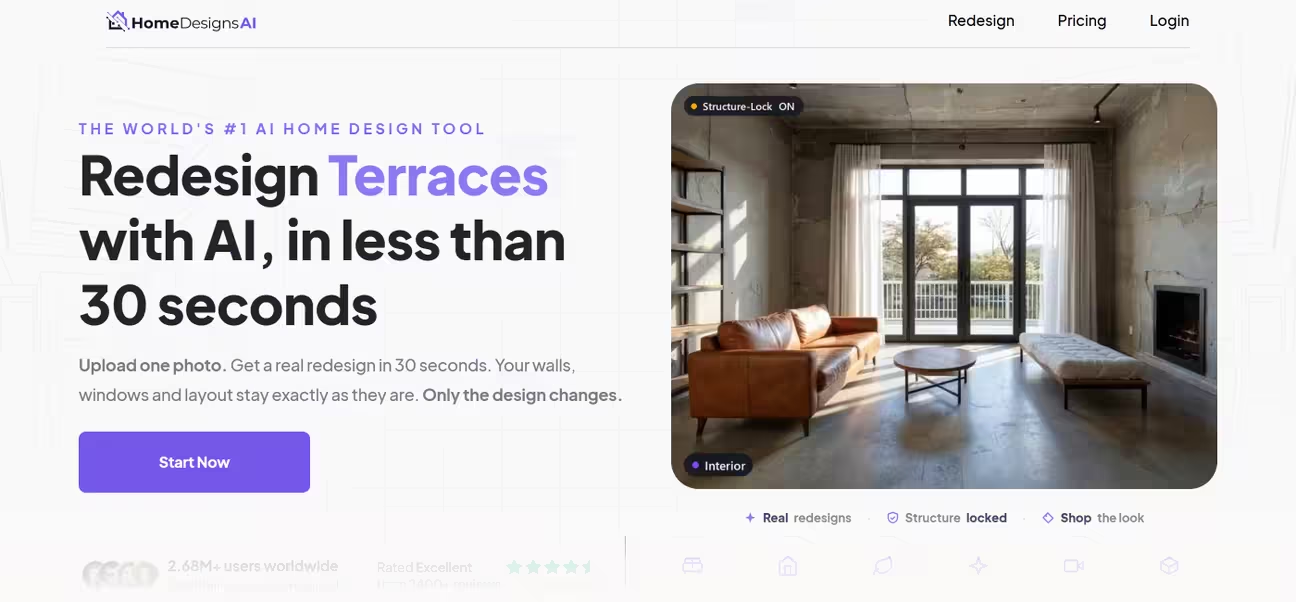
HomeDesigns.AI covers interiors, exteriors, and gardens in one platform. You can start with a photo or a blank template. This app shows a renovation cost estimate for a redesigned space.
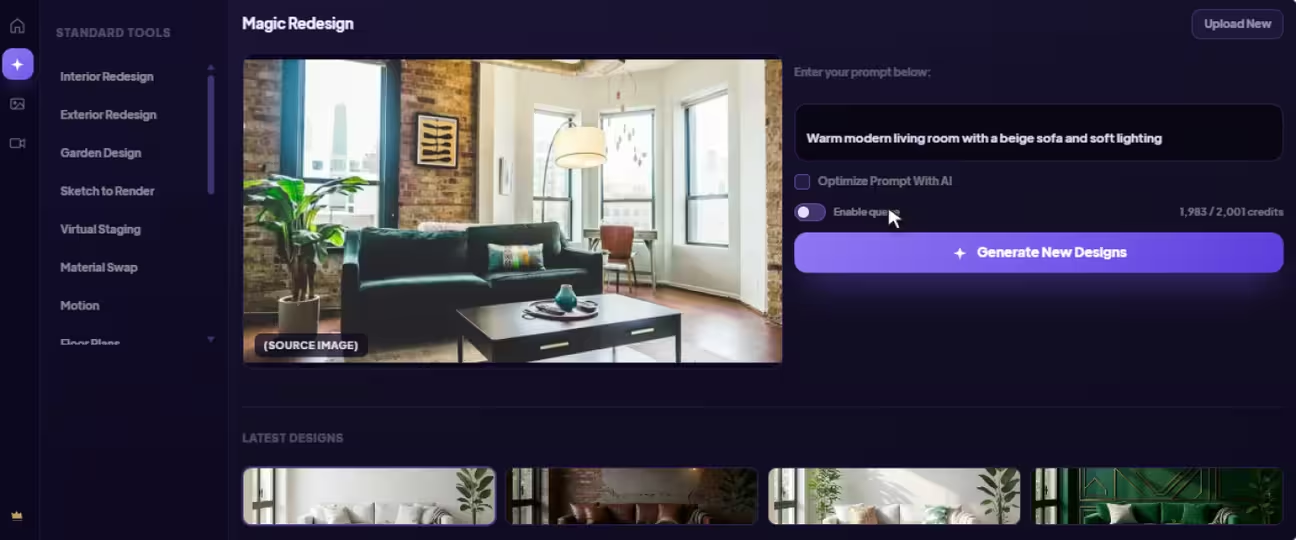
App User Experience: With 3 space types (interior, exterior, garden), the app has a simple interface. It enables customizations with 7 tools and a good selection of design styles. A combination of preset selection and a custom prompt helps customize the redesigns with more detail. You can upload a reference photo to apply its style to the redesign. In our testing, the interface was easy to use, with a minimal learning curve.
Best For: Larger projects with a budget estimator that calculates the estimated renovation cost
Limitation: No dedicated tool for specific rooms like kitchen and bathroom design
Pricing: $27, $29, $37/month per user
Refund: Available
Subscription Type: Credit-based
Free Trial: No
Our Rating: 7.1/10
Behind This Rating: HomeDesigns.AI delivers solid interior, exterior, and garden support with a budget estimator for renovation planning. The clean interface with its preset-plus-prompt process is where it performs best. The credit-based pricing with no free trial and fewer tools cost it points.
7. Planner 5D
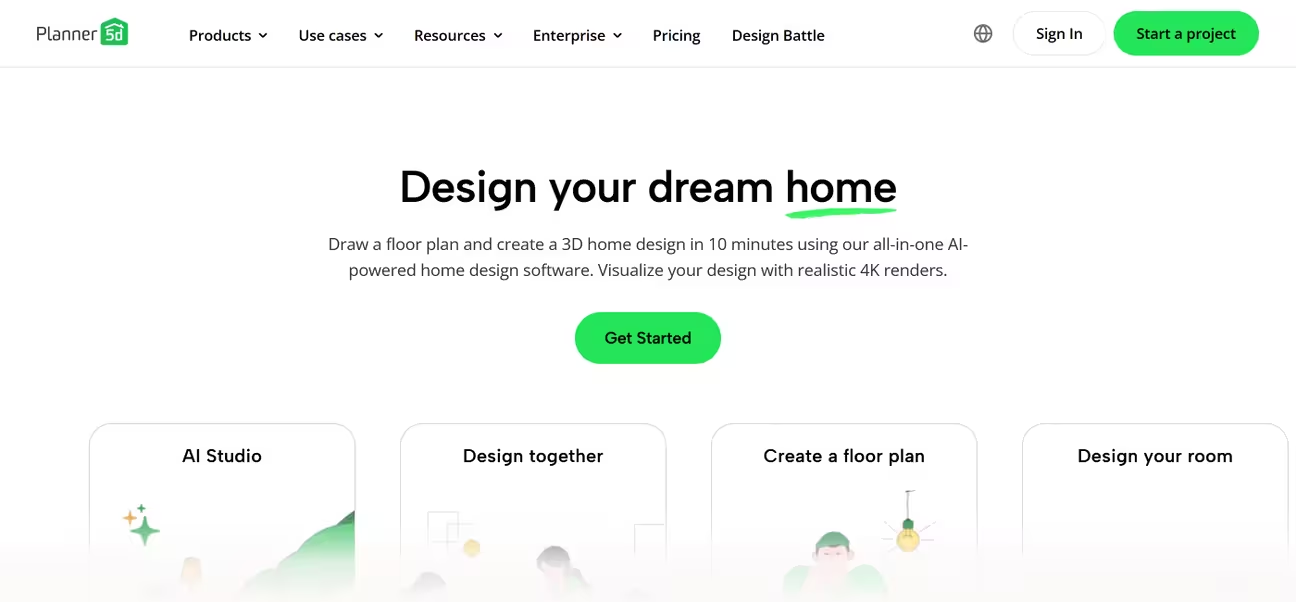
Planner 5D is a floor planning and layout app that combines manual design with AI-assisted suggestions. You build a room from scratch using a drag-and-drop editor, place furniture from a large library, and switch between 2D and 3D views to check the result. An augmented reality preview is available on mobile.
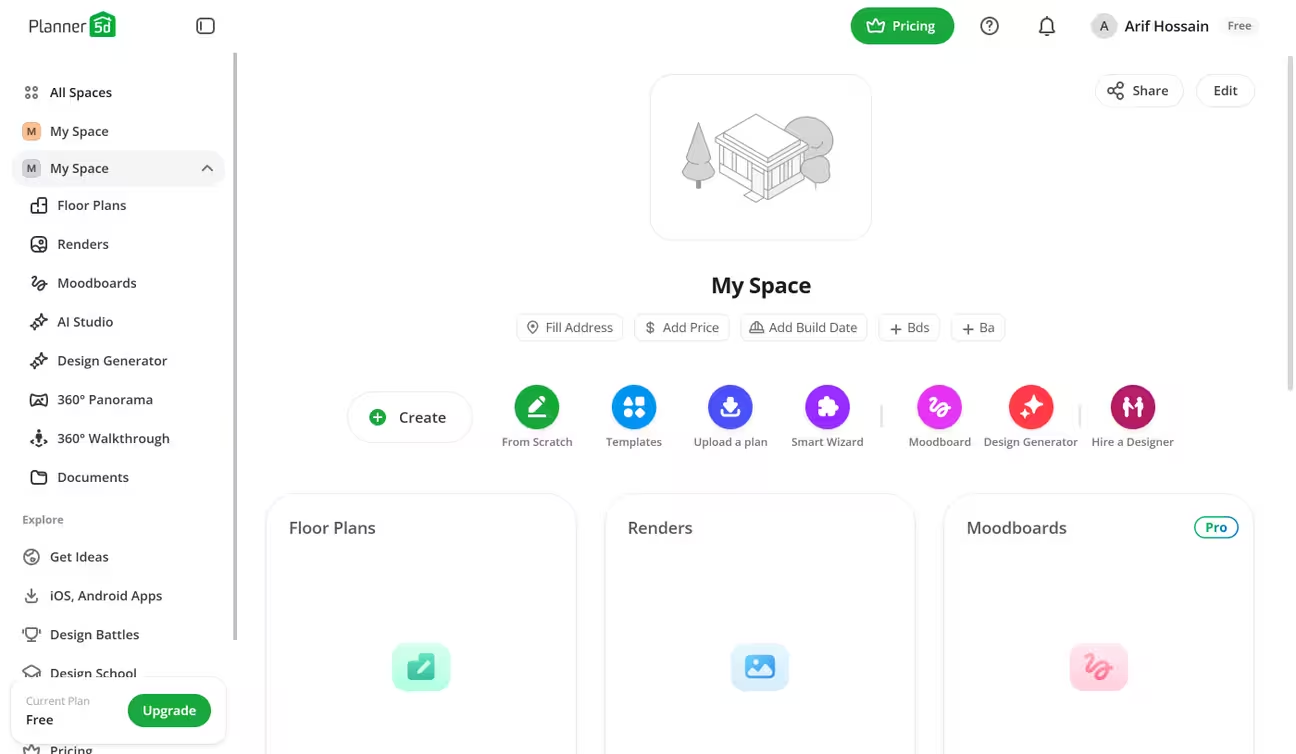
App User Experience: The Planner 5D interface looks minimal, with clear options when you start a project. The 3D floor planner interface comes with plenty of 3D assets for common interior spaces like bedrooms, living rooms, kitchens, etc. The navigation and the 3D interface are smoother than any other 3D floor planner tool we tested. You can simply pick an asset from the library and place it anywhere you like with precise dimensions. When the floor plan is ready, you can render, add to AI Studio, or generate a 3D walkthrough to present.
The app consists of multiple non-AI tools along with a dedicated AI Studio. The AI Studio provides an infinite sheet as a canvas to work with multiple images. It has a custom prompt option, with Compose and Agent features to generate redesigns. It does not have a guided process or preset styles. This makes the AI Studio harder for beginners to navigate.
Best For: 3D floor planning and visualization with 3D assets
Limitation: Limited AI interior design features for general users
Pricing: Free and $19.99, $49.99/month per user
Refund: No-Refund
Subscription Type: Unlimited renders
Free Trial: Yes
Our Rating: 7.0/10
Behind This Rating: Planner 5D excels at floor planning and layout visualization with its 2D/3D editor, AR preview, and large furniture library. The free tier with unlimited renders is generous. That is where it shines. But it's not a quick photo-to-redesign tool. Setting up a room takes significantly longer. Interior-only support and limited AI automation keep it from competing with top-ranked apps.
8. Dehome

Dehome helps you create interiors, exteriors, landscapes, and floor plans in minutes. With AI home design assistance, you can generate professional-quality visuals without advanced design skills. The platform uses a credit-based pay-once model with no subscription, and credits never expire. It targets homeowners, interior designers, architects, and builders.
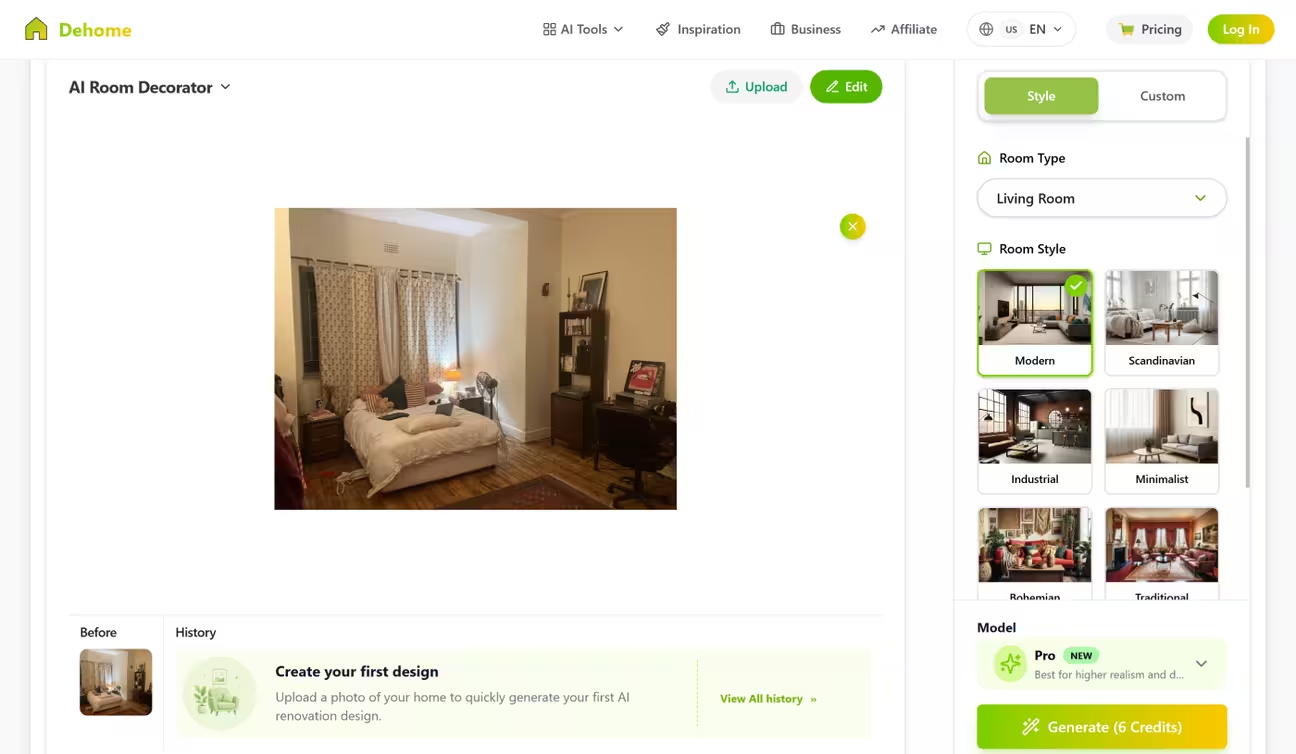
App User Experience: The app features interior and exterior design tools. The interior design tool has 7 room types and 8 styles. The exterior design tool features landscape and garden design with supporting presets. Both tools have a clean, easy-to-navigate interface. The floor plan tool features 2D floor planning with preset and custom shapes and drawing. It also features 2D and 3D floor plan generation from selectable presets. But the image generation speed was slower than any other tool we tested.
Best For: Homeowners, interior designers, architects, and builders
Limitation: Very slow image generation speed with fewer style presets for general users
Pricing: $9.99, $29.99, $399/per user (one-time)
Refund: Available
Subscription Type: Credit-based
Free Trial: No
Our Rating: 7.0/10
Behind This Rating: Dehome covers interiors, exteriors, landscapes, and floor plans through 16 tools with a beginner-friendly preset-plus-prompt process. The one-time payment model with no recurring subscription and credits that never expire is a refreshing alternative to monthly plans. But the image generation speed is too slow, with fewer presets and spaces to work with. No free trial and fewer features compared to top-ranked apps keep its score at 7.0.
9. RoomGPT
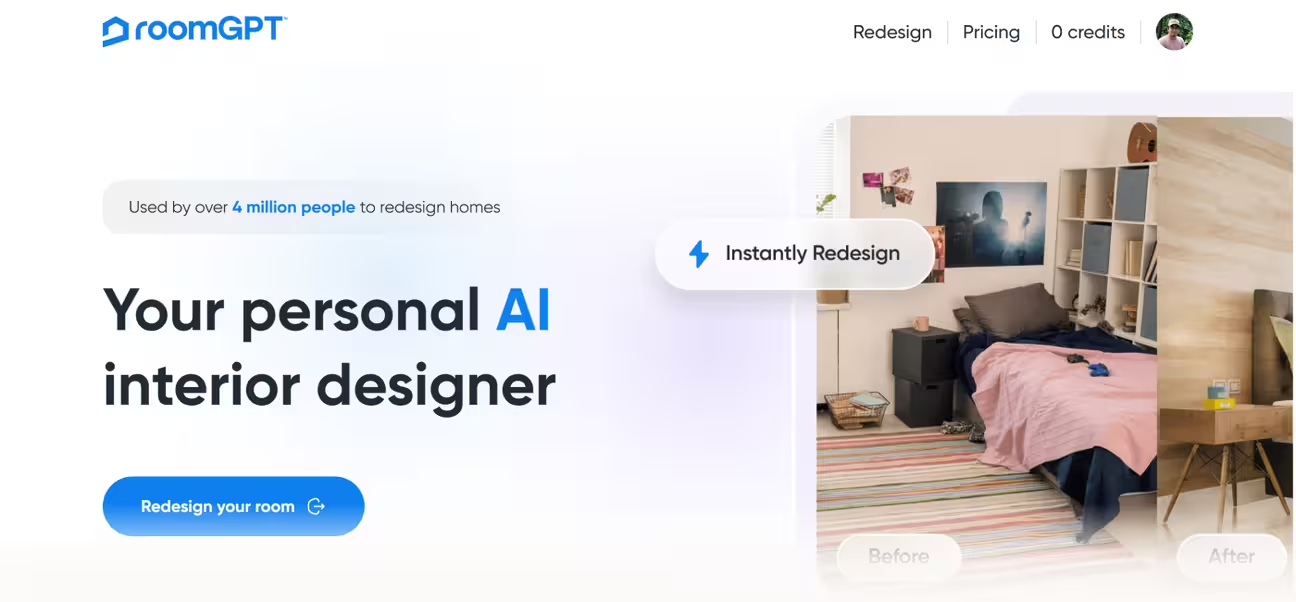
RoomGPT is a minimal AI room design tool that lets users upload a photo of any room, pick a design theme, and get an instant AI-generated makeover. With its minimal app interface, you just upload your room photo, select a room type, and generate a restyle.
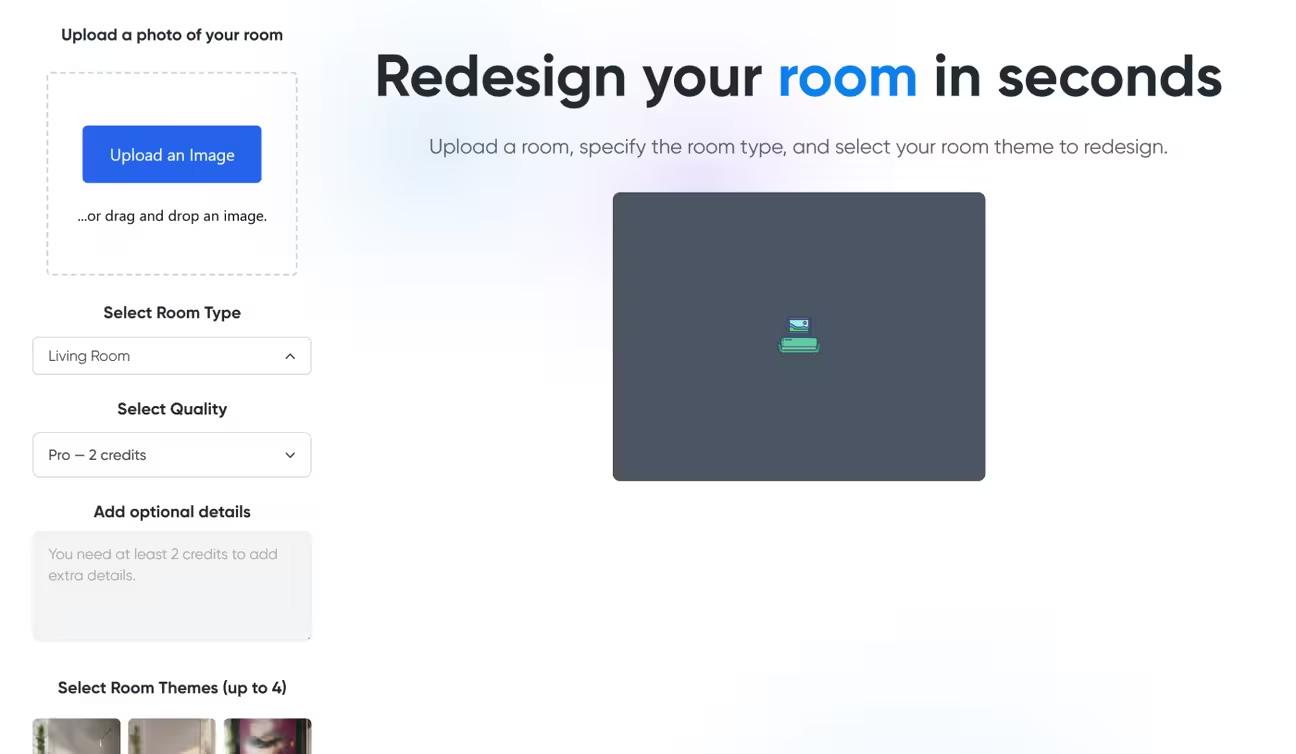
App User Experience: With 9 interior space types, RoomGPT is one of the simplest AI interior design apps out there. It can generate a single space in 4 styles at a time. The process is easy for beginners. You just upload your room photo, select a room type, select quality, choose up to 4 themes, and generate. It generates designs quickly.
Best For: Basic interior redesigns with minimal changes
Limitation: No support other than room restyling. No post-generation editing or refinement. Prompting requires credits to spend
Pricing: $9, $19, $29/per user (one-time)
Refund: No-Refund
Subscription Type: Credit-based
Free Trial: Yes, 1 Free Design
Our Rating: 6.5/10
Behind This Rating: RoomGPT offers the simplest experience among all apps tested. Image generation speed is fast. The one-time payment model with no monthly subscription is budget-friendly. But it offers only 9 interior space types, no exterior or landscape support, no post-generation editing, and minimal customization options. It requires spending extra credit for custom prompts. The limited scope and feature depth cap its score at 6.5.
10. Remodel AI
Remodel AI gives every user 3 free designs at full quality with no credit card required. The app includes 8 AI design tools: interior redesign, exterior design, virtual staging, floor replacement, wall paint, landscape design, object removal, and furniture swap. It supports 27 interior styles, 10 exterior styles, and 10 landscape styles.
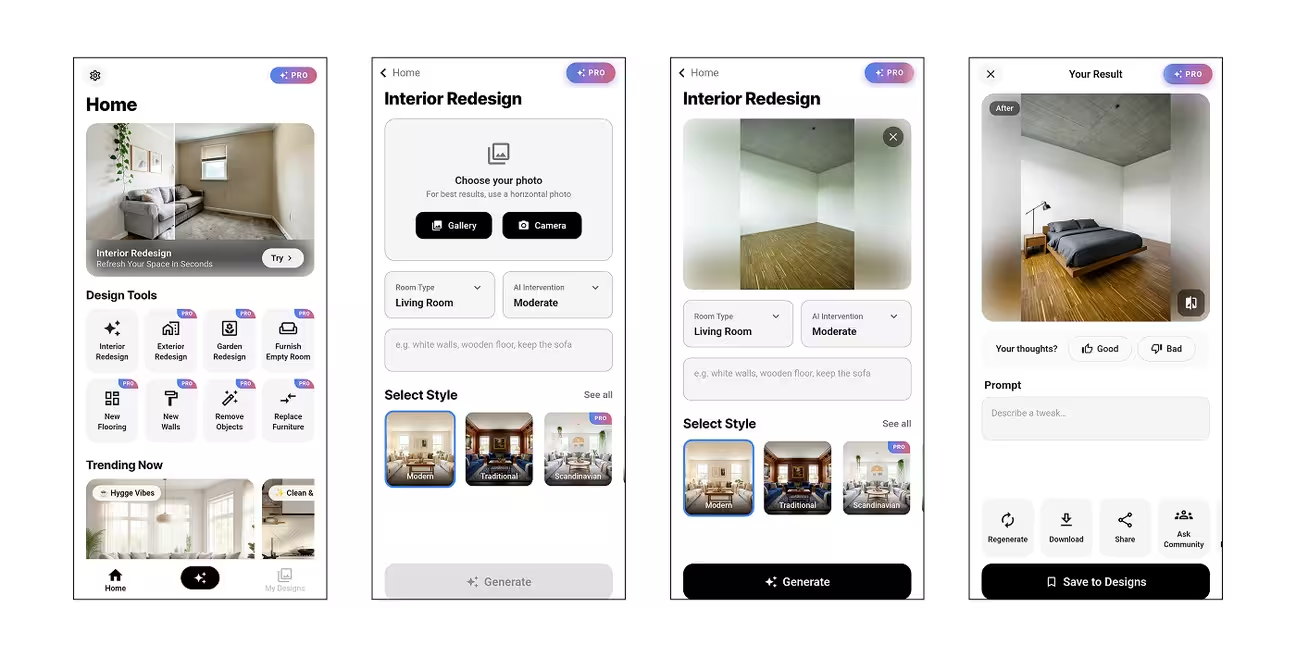
App User Experience: Remodel AI has no web app, so we tested it on mobile only. The interface is straightforward. The steps for each tool start with uploading a photo. Then select a space type, write your instruction, select a style from the gallery, and generate. Only the Interior Design and Furnish Empty Room tools have an AI editing feature. It allows modifying the generated result with a prompt. Image generation takes a bit longer than the top-ranked apps.
Best For: Quick interior design idea generation for casual users
Limitation: Mobile app-only. Fewer customization options
Pricing: Free and $10/per user per week
Refund: No-Refund
Subscription Type: Unlimited AI design
Free Trial: Yes
Our Rating: 6.5/10
Behind This Rating: Remodel AI offers 8 tools with a decent range of styles. The free trial offers 3 free redesigns with heavy watermarks. Being mobile-only with no web version is a significant limitation for serious design work. Fewer customization options, limited style range, and the weekly pricing model prevent it from scoring higher.
11. Canva AI Interior Styler
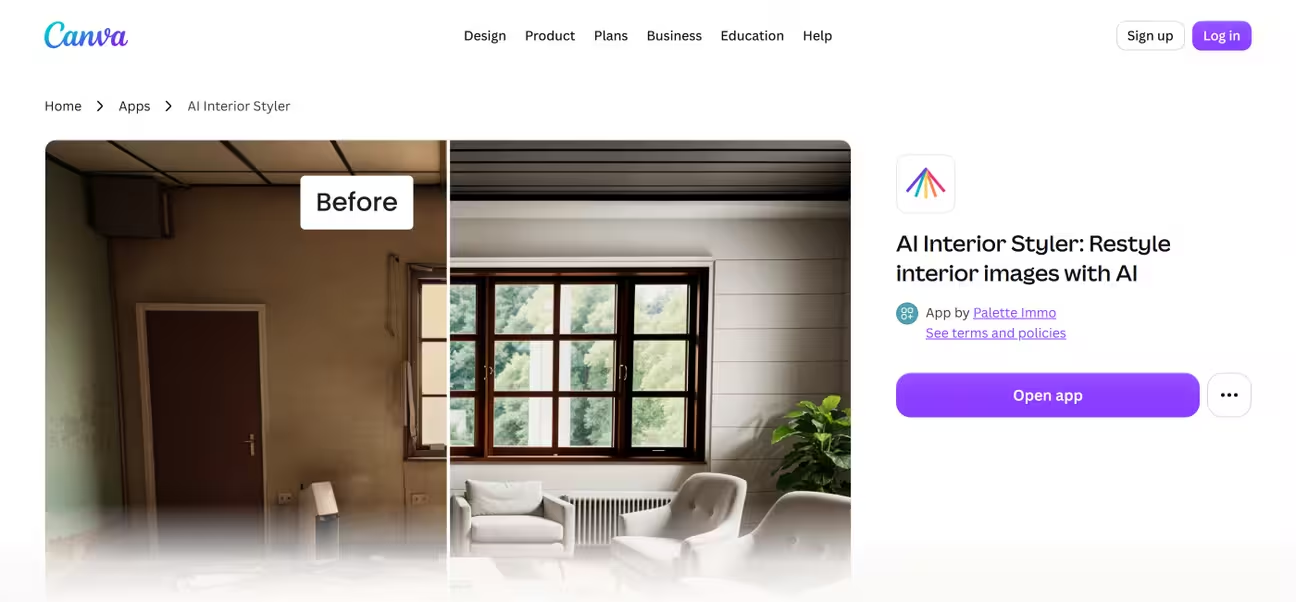
The Canva Interior Styler app is a part of the Canva ecosystem. It uses a third-party AI model to generate the redesigns. It has 5 modes: Redesign, Virtual Staging, Sketch to Render, Clear the Room, and Edit Photo. It comes with 35 spaces and 35 styles.
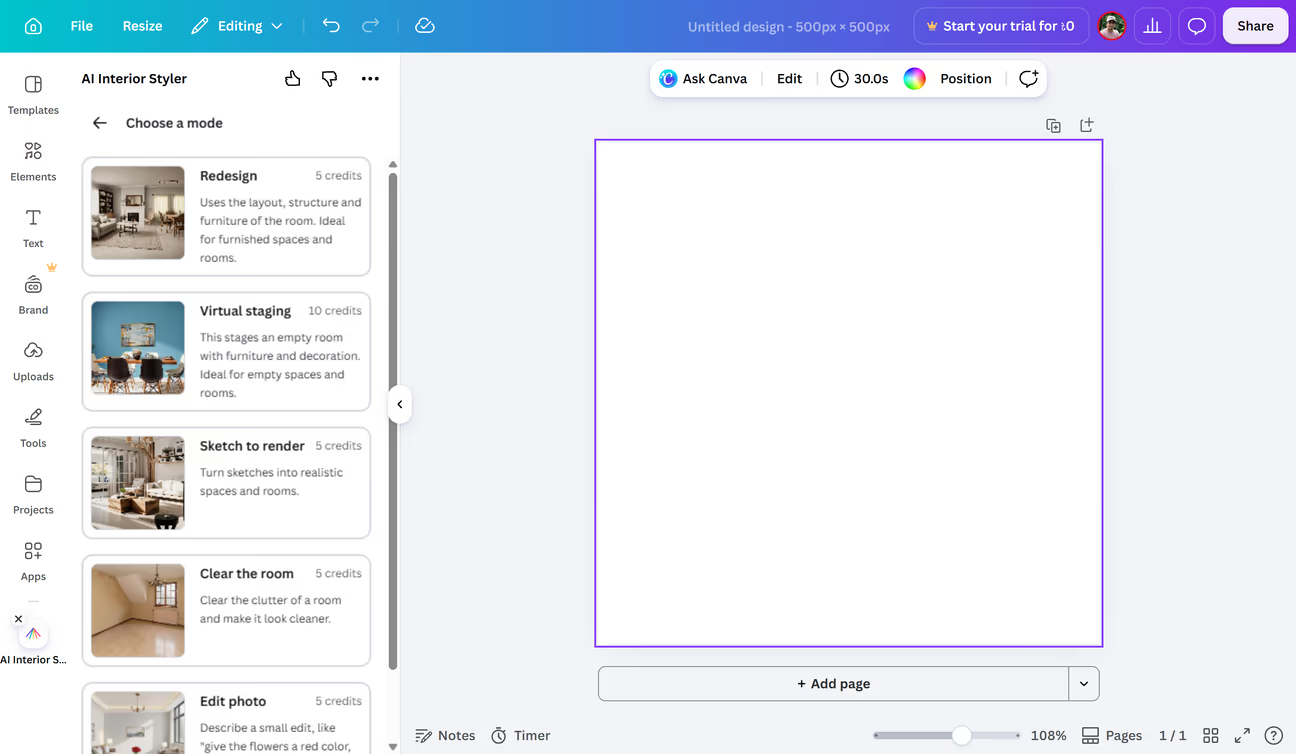
App User Experience: The interface is easy to navigate. Once you upload a photo, you need to select a mode. A mode is a tool for a particular task. The first one is Redesign. This mode has redesign options for 35 interior and exterior spaces. When selected, you can choose a space type and a style to generate a redesign.
Also, you can transform a sketch into a render, clear a room, or edit an uploaded photo. The only way to edit a photo is by writing a prompt. No presets or settings are available. It's a basic tool with a limited number of tools and features.
Best For: Canva Pro users for basic interior redesign and editing
Limitation: Only accessible to Canva Pro users. Not much customization. Higher pricing
Pricing: $34, $50, $168/month per user
Refund: No-Refund
Subscription Type: Credit-based
Free Trial: No
Our Rating: 6.2/10
Behind This Rating: Canva AI Interior Styler benefits from being inside the Canva ecosystem. Easy sharing, editing, and mood boards within Canva give it a slight advantage. But it's not built for serious interior design work. Only 5 tools, limited customization, and credit-based pricing make it less accessible for both regular and pro users.
12. Foyr
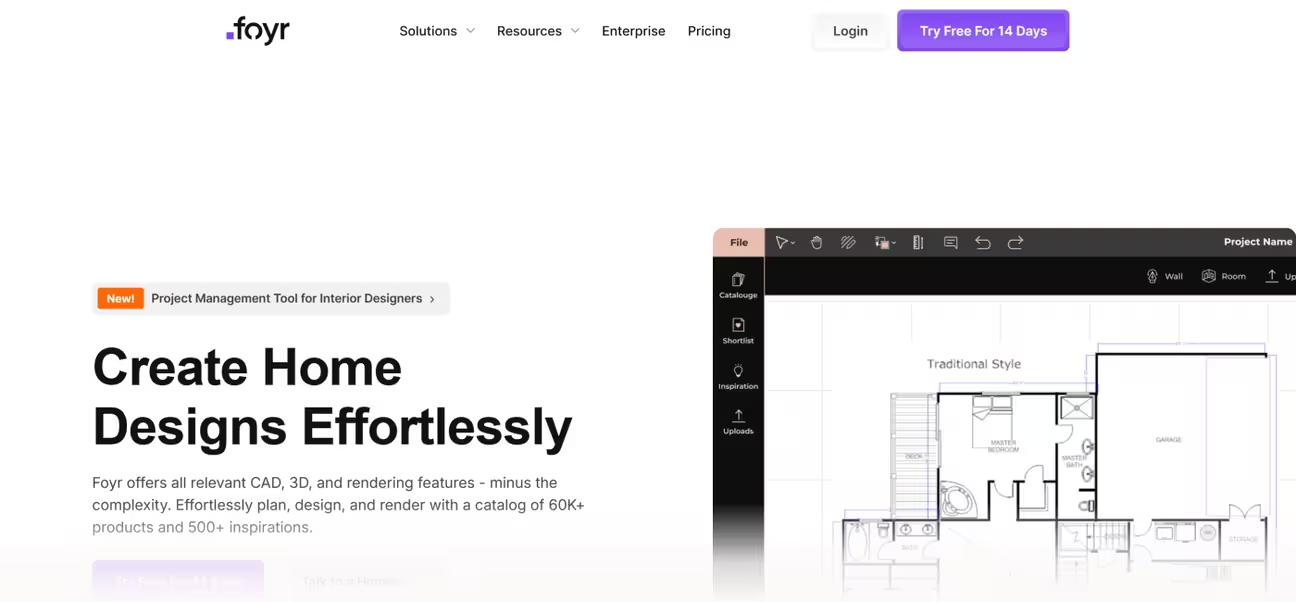
Foyr is an AI home design app that offers CAD, 3D, and rendering features. It's built for interior designers, contractors, and design studios that benefit from collaborative design. The Foyr app comes with a catalog of 60k+ products and 500+ inspirations. It has an AR View feature that allows real-time customization and visualization.
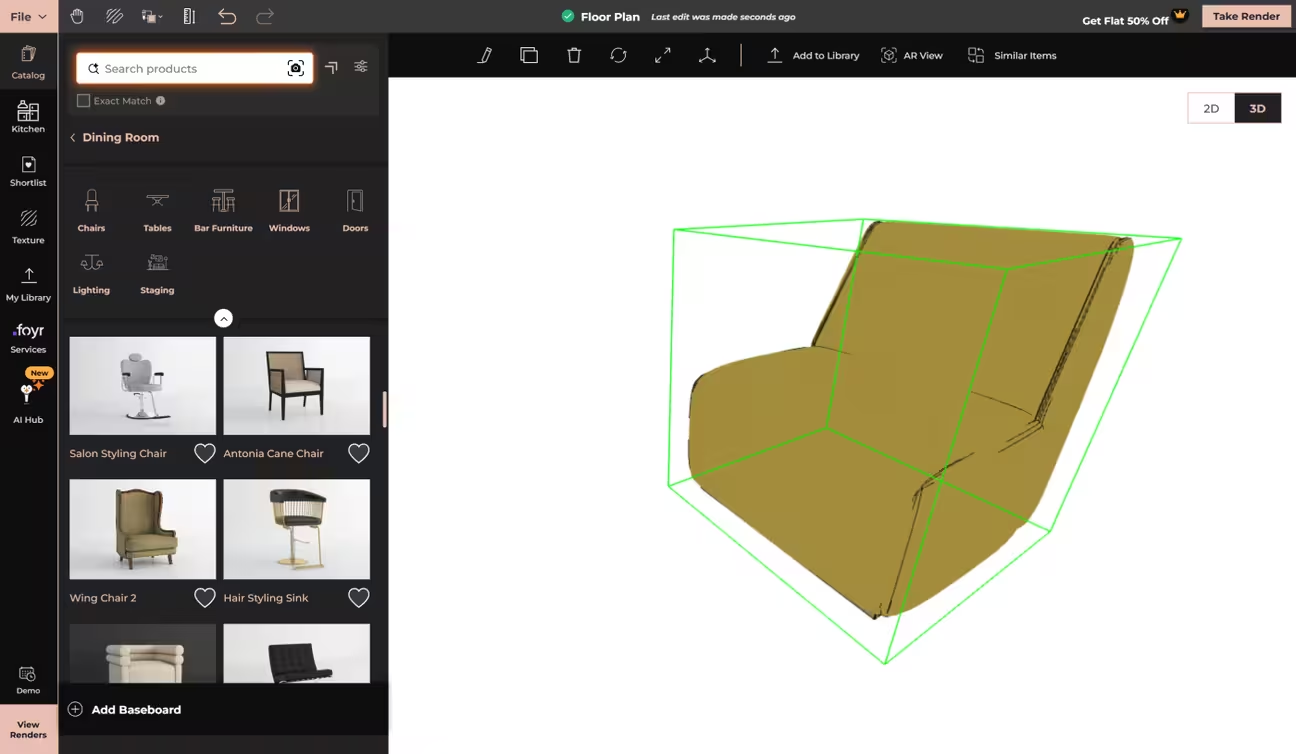
App User Experience: The interface is clean with good direction. You can start a floor plan from scratch or upload and auto-trace a 2D floor plan. The app turns it into a base design. The base design can be customized with assets from the product catalog.
The Foyr app includes more than 60,000 product assets and textures. Browsing the catalog, you can add furniture and other assets to the design. The app lets you add custom assets to the library. The Foyr app can transform a 2D furniture photo into a 3D asset instantly with AI.
Once a floor plan is ready, you can generate separate renders for 2D and 3D views. Switching between 2D and 3D modes is instantaneous. But the 3D interface felt laggy, and it requires improved navigational controls for better usability.
Best For: Interior designers, contractors, and design studios for collaborative interior planning and design
Limitation: Not a good fit for general users for quick interior and exterior redesign
Pricing: $39, $89, $159/month per user
Refund: No-Refund
Subscription Type: Credit-based
Free Trial: Yes
Our Rating: 6.0/10
Behind This Rating: Foyr is a powerful cloud-based platform for professional designers with 2D floor planning and 3D modeling. The massive furniture catalog and the AR preview are where it performs best. But it is designed for professional design work rather than quick photo redesigns. The pro-focused features with high pricing make it impractical for homeowners, renters, and casual users. That is where it lost points.
13. Coohom
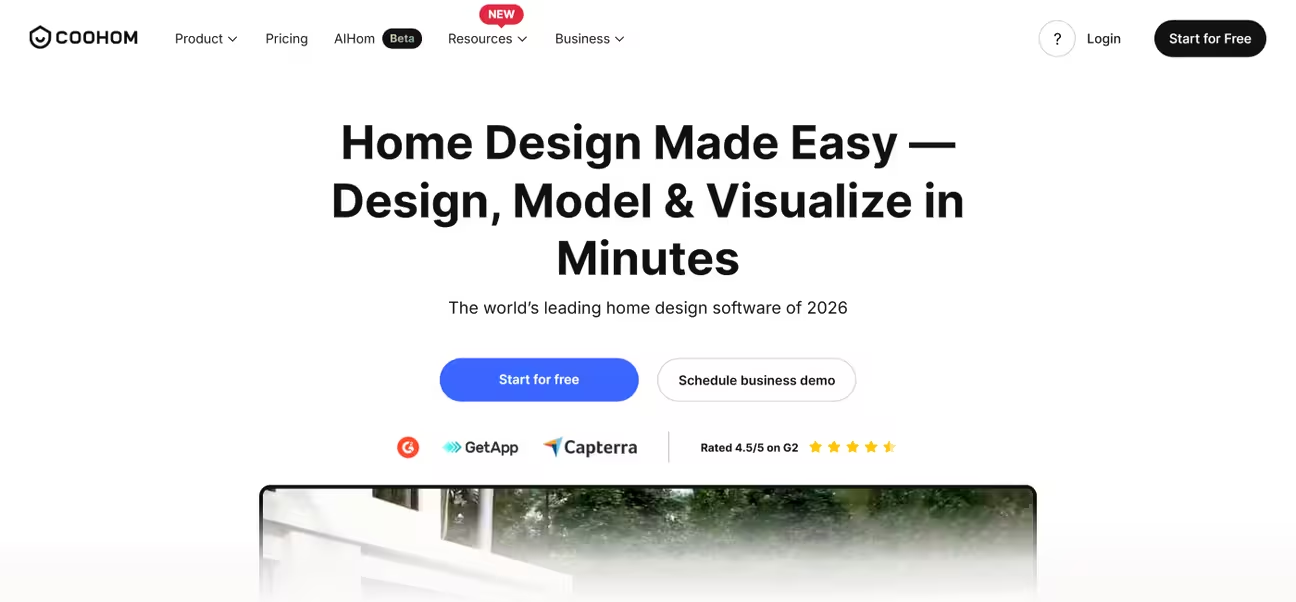
Coohom is a 3D home design-focused AI interior design platform for professional designers and teams. It combines 2D floor planning, 3D modeling with 600,000+ models, real-time rendering, and AI-assisted layouts.
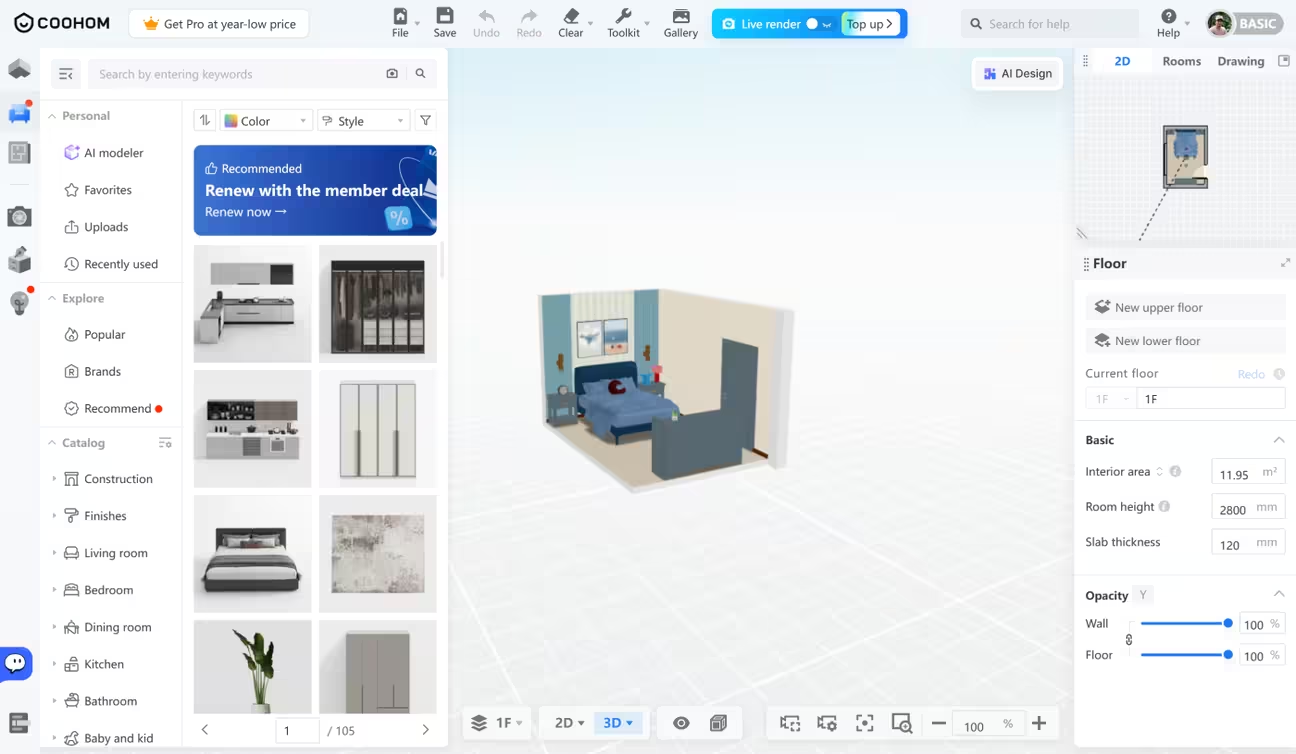
App User Experience: It's a complex, cloud-based 2D and 3D room planning software. The interface is feature-packed. The catalogs carry thousands of 2D and 3D materials to work with. The app lets you plan a house interior and exterior from scratch. Also, you can start from pre-designed interiors from the app library.
Best For: Interior designers and architects who are familiar with complex 3D modeling software.
Limitation: The Coohom app performed slowly during our test. It also has a learning curve, so it is not a good fit for general users
Pricing: Free and $10, $46/month per user
Refund: No-Refund
Subscription Type: Unlimited projects
Free Trial: Yes
Our Rating: 5.8/10
Behind This Rating: Coohom delivers professional-grade 2D floor planning and 3D modeling with a massive library of 600,000+ models. The free trial and affordable monthly subscription earn it credit. But it's fundamentally a cloud-based design software, not a quick photo-redesign tool. Interior-only support and the complexity of its process keep it from scoring higher in a test that prioritizes ease of use and instant results.
14. Collov AI

Collov AI offers AI-powered virtual staging, photo editing, and virtual tours. It has outdoor enhancement tools like twilight conversion, lawn replacement, and pool water enhancement. The platform is built for speed and volume in real estate workflows, as well as for design exploration for homeowners.
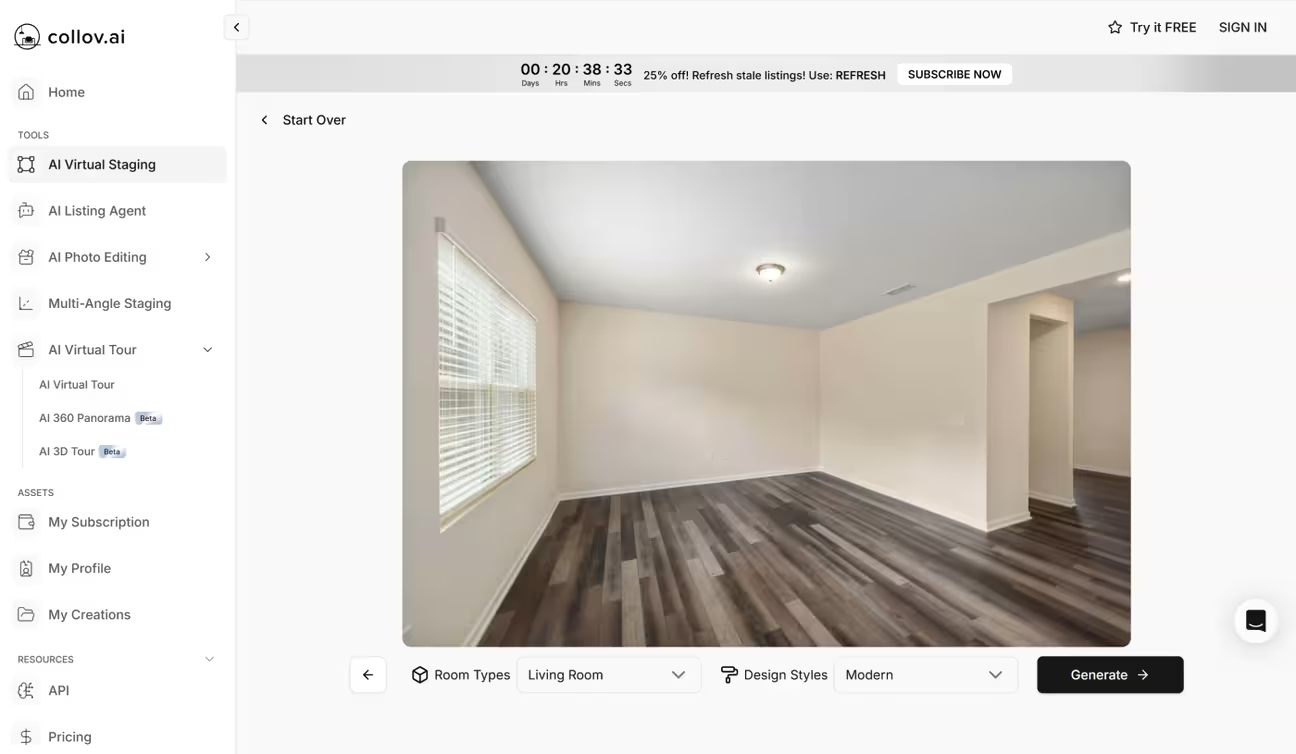
App User Experience: Collov AI's Virtual Staging feature uses a guided process. After uploading a photo, it masks the existing furniture and appliances. It allows removing them with one click. It then asks you to select a room type and style with a visual example. It generates 4 different variations using the selected style.
The generated results can be modified with tools like Add Furniture, Furniture Eraser, Material Overlay, etc. The app has a total of 14 AI photo editing tools with minimal controls. AI Virtual Tour videos can be generated from a batch of up to 20 photos. This feature lets you add background audio, intro text, and logo overlay to the generated videos.
The human-assisted Multi-Angle Staging tool lets you upload interior photos with requirements. The human assistant takes 3 days to provide the results via email. It costs 20 credits per photo.
Best For: Faster Interior redesign idea generation for designers and homeowners with photo editing features
Limitation: No exterior and landscape design support. Higher pricing
Pricing: Free and $27, $59, $99, $170/month per user
Refund: Available
Subscription Type: Unlimited AI design
Free Trial: Yes
Our Rating: 5.7/10
Behind This Rating: Collov AI offers 14 AI photo editing tools with a clean interface and useful features for real estate workflows. The human-assisted Multi-Angle Staging gives it uniqueness. The free tier and unlimited design model add value and helped it land in the middle. It does not cover exterior spaces and landscape design, and the pricing is on the higher side. These limit its score.
15. Maket AI
Maket AI is a specialized AI floor plan generator. It can generate build-ready residential floor plans from text descriptions. Maket AI focuses on 2D floor plan creation, room layout exploration, and visualization.
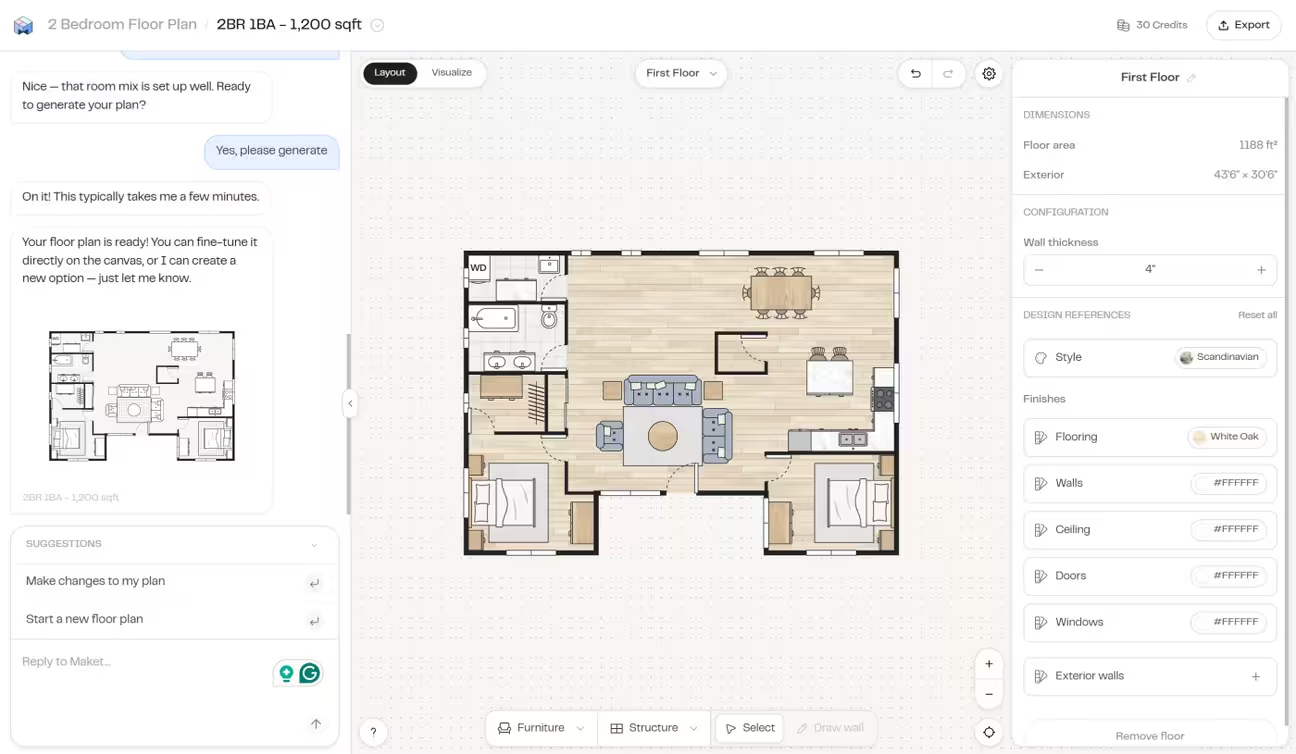
App User Experience: The app walks you through each step with an AI chat. The design process starts with one of these options: generate a new floor plan, draw a plan from scratch, or upload a floor plan. You can generate a floor plan with the AI chat that asks for plan attributes like number of floors, area, shape, rooms, etc.
With the Draw a plan from scratch feature, you can draw a floor plan with selectable furniture and structure. Also, you can use the AI chat to make any changes. The upload a floor plan feature lets you upload a 2D floor plan to start a design.
Best For: Architects and builders for generating residential floor plans from natural language descriptions
Limitation: No photo transformation capability
Pricing: Free and $20/month per user
Refund: No-Refund
Subscription Type: Credit-based
Free Trial: Yes
Our Rating: 5.5/10
Behind This Rating: Maket AI lets you generate residential floor plans with an easy-to-follow interface. The free tier and affordable $20/month pricing make it accessible for most user types. But it has zero photo transformation capability, no exterior redesign, and no style or space support beyond floor plans. The narrow scope and lack of design features cap its score at 5.5.
16. Havenly
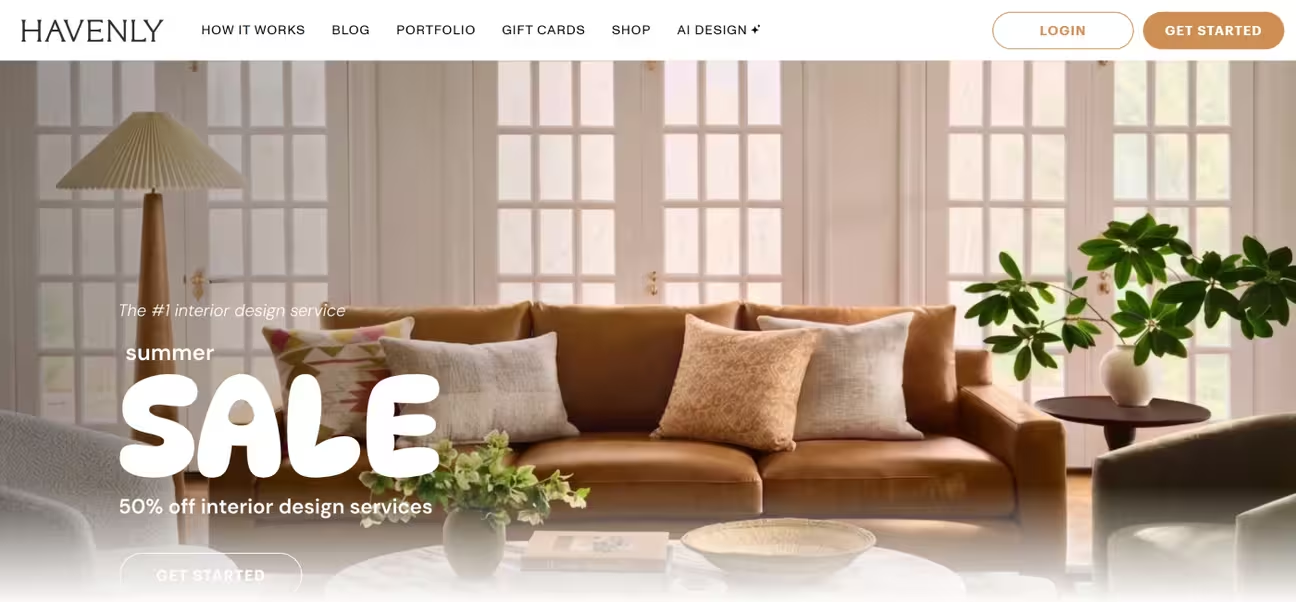
Havenly works in two different ways. The first one is a human-powered interior design service with AI assistance. It connects users with professional designers who create personalized designs, provide 3D renders, and offer shopping integration across 100+ home brands. The second one is an AI tool (Havenly AI) with a guided process that generates interior design ideas from photos with real furniture staging. You can buy the staged furniture from their marketplace. Havenly started as an online-only service and later expanded into in-person design, as TechCrunch covered when the company launched its in-person services in 2022.
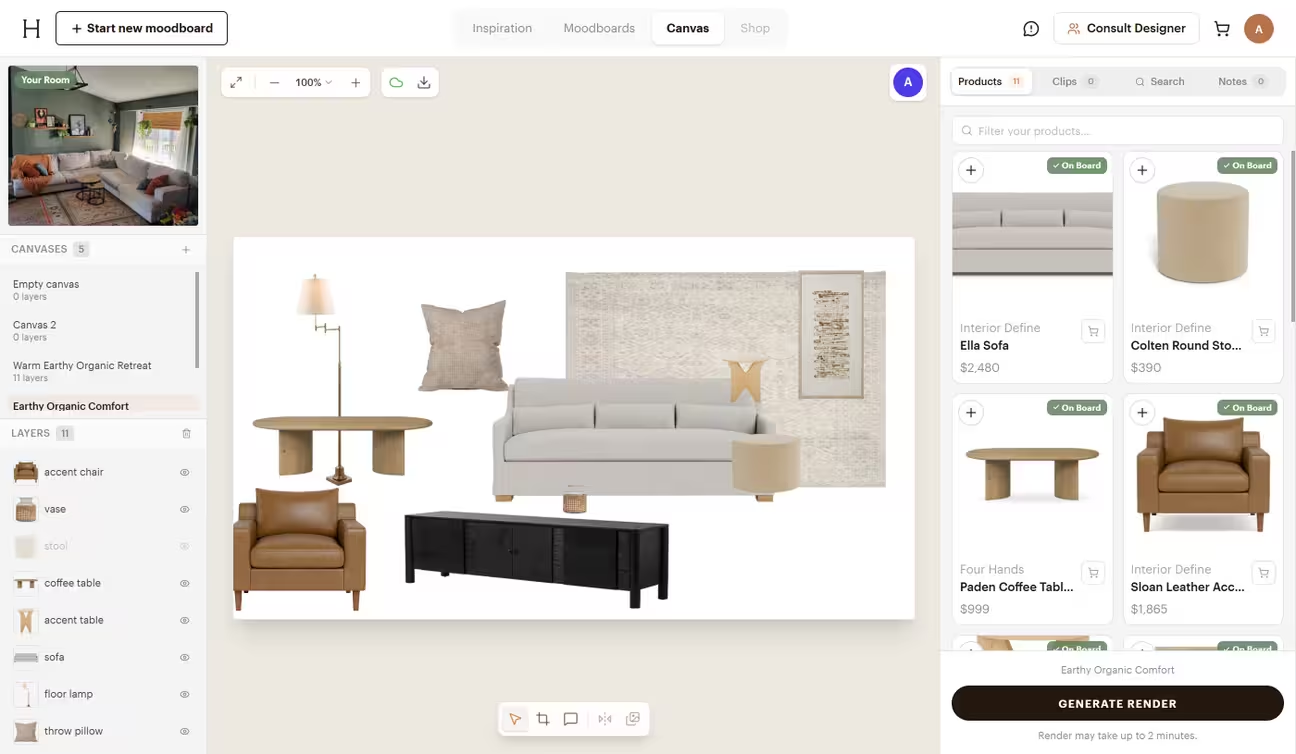
App User Experience: The AI Design canvas of Havenly AI lets you redesign your interior space from your photo. The AI suggests changes through detailed annotations. You can pick up to 6 styles and generate design variations. You can generate renders from the moodboards and see how your space looks with the products. The staged products can be bought from the Havenly marketplace. The process takes more steps and time than other apps we tested. But if you want to shop for what you're staging, Havenly is a good choice.
Best For: Homeowners and renters who want to stage their interiors with real products
Limitation: Longer redesign process. No exterior support. Generated results are less photorealistic. Higher design cost with no free trial
Pricing: $99 and $349/room (Human-assisted interior design)
Refund: No-Refund
Subscription Type: One-time purchase
Free Trial: No
Our Rating: 5.0/10
Behind This Rating: Havenly AI does perfectly what it is built for. But not having exterior and landscape support limits its usage. Also, the longer interior redesign process and less realistic renders contribute to its low rating. With all that, the pricing plans are very expensive for users who are looking for quick redesigns with photorealistic output.
What Changed in AI Interior Design Tools Since 2025
Last year, the biggest complaint about AI interior design apps was layout accuracy. Most tools hallucinated new rooms, ignored windows, and warped proportions. Only a few apps offered free trials. Style libraries were thin. We retested all 16 apps in August 2026 and found the landscape has changed. The table below breaks down what improved, what stayed the same, and what still needs work.
What changed in 2026: image quality is better in most apps. They generate images faster. Some added more tools and covered more spaces. The apps now keep room layouts more accurately. Generated images are sharper and more photorealistic. The image-to-video feature is far more common.
| Area | 2025 | 2026 | Improvement |
|---|---|---|---|
| Layout Accuracy | Many apps hallucinated new layouts | Top apps preserve windows, doors, proportions | Major |
| Output Quality | Blurry, artificial renders | Photorealistic in top apps | Major |
| Free Tier | Only a few apps | Most apps | Major |
| Space Coverage | Room-only focus | Kitchen, bathroom, landscape, exterior | Major |
| Style Coverage | 10 to 30 styles | 40 to 175+ styles | Major |
| Tool Count Per App | 5 to 10 tools | 12 to 20+ tools | Moderate |
| Price Value | $29 to $199/month | $24 to $119/month | Moderate |
| Commercial License | Pro plans only | Included on all plans in most apps | Moderate |
| Post-Generation Editing | Rare | Common in top apps | Moderate |
| AI Editing Control | Not available | Available in 6+ apps | Minor |
At this point, you must be thinking about which one is best for you, right? Here's a guide for you.
How to Choose the Right AI Interior Design App
Choosing the best AI interior design app depends on who you are and what you need. Different tools suit different workflows. A homeowner redesigning a bedroom has different needs than a real estate agent staging ten listings, or an architect presenting a concept to a client.
For Homeowners, Renters, and Airbnb Hosts
Look for an app that doesn't require design skills. The app must be easy to use. It must offer a wide range of interior design styles and generate photorealistic results. A free trial lets you test the user experience and output quality. Try tools like DecorAI that let you upload a photo, pick a style, and redesign in seconds. If you rent, check which app preserves your existing walls, windows, doors, and dimensions.
For Interior Designers and Architects
Commercial licensing is essential for professional users. Many AI interior design tools restrict commercial use to higher-tier plans. Choose a tool that includes commercial rights on all plans, so you can use outputs for client presentations, portfolios, and marketing materials without hidden fees. Also, look for post-generation editing options since your client might ask for changes.
For Real Estate Agents and Virtual Stagers
Look for tools that offer virtual staging and bulk processing. Virtual staging can cut staging costs by up to 97% compared to traditional in-person staging. A tool that supports both interior and exterior designs lets you enhance property listings. Commercial licensing is also important as you are using designs in paid listings and marketing campaigns.
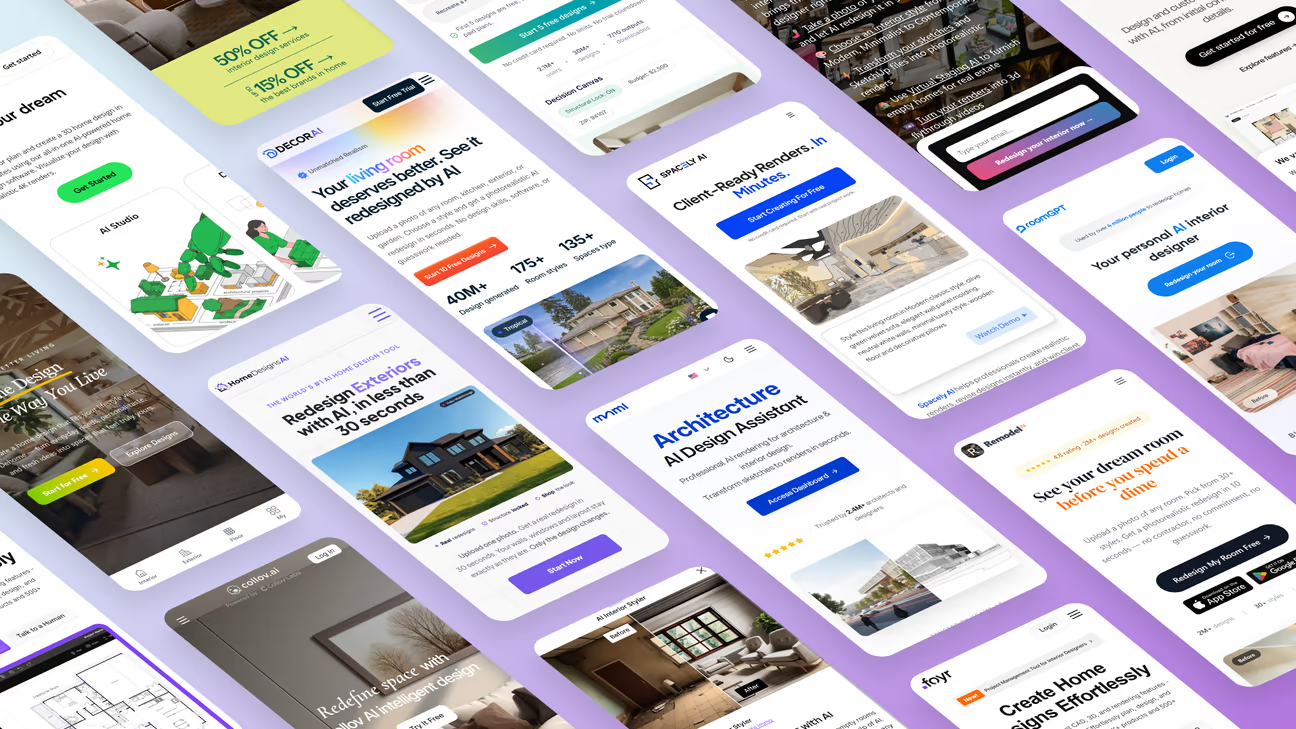
Here's how you can get the best results from the app you chose.
How to Get the Best, Most Photorealistic Results from Any AI Interior Design App
These AI interior design Apps analyze the photo you upload. Then the AI reads your preferences and instructions to generate the results. Therefore, photo quality, camera angle, and lighting come first. Follow these practices to get the best results from an AI interior design app:
- Take a well-lit photo from a corner. Make sure the lighting is sufficient for a clear view. For interiors, make sure at least two walls are visible. The AI needs to understand the room's geometry to keep the layouts intact. Also, make sure the photo is sharp. Blurry photos lower the output quality.
- Hold the camera level: Avoid taking tilted photos. This confuses the AI about the floor and ceiling positioning. This causes warped windows or doors.
- Declutter first. Clear any clutter in the space before you take the photo. Clutter can hurt the result. Don't have the chance to take another clear photo? DecorAI has a dedicated tool called Magic Edit to remove any unwanted objects in photos.
- Pick one clear style, then iterate. Keeping a clear style direction in mind helps the most. Start with a well-known style like Scandinavian, Japandi, or Contemporary rather than a vague direction like "make it look nice". Once you find the best style for you, then iterate for variations.
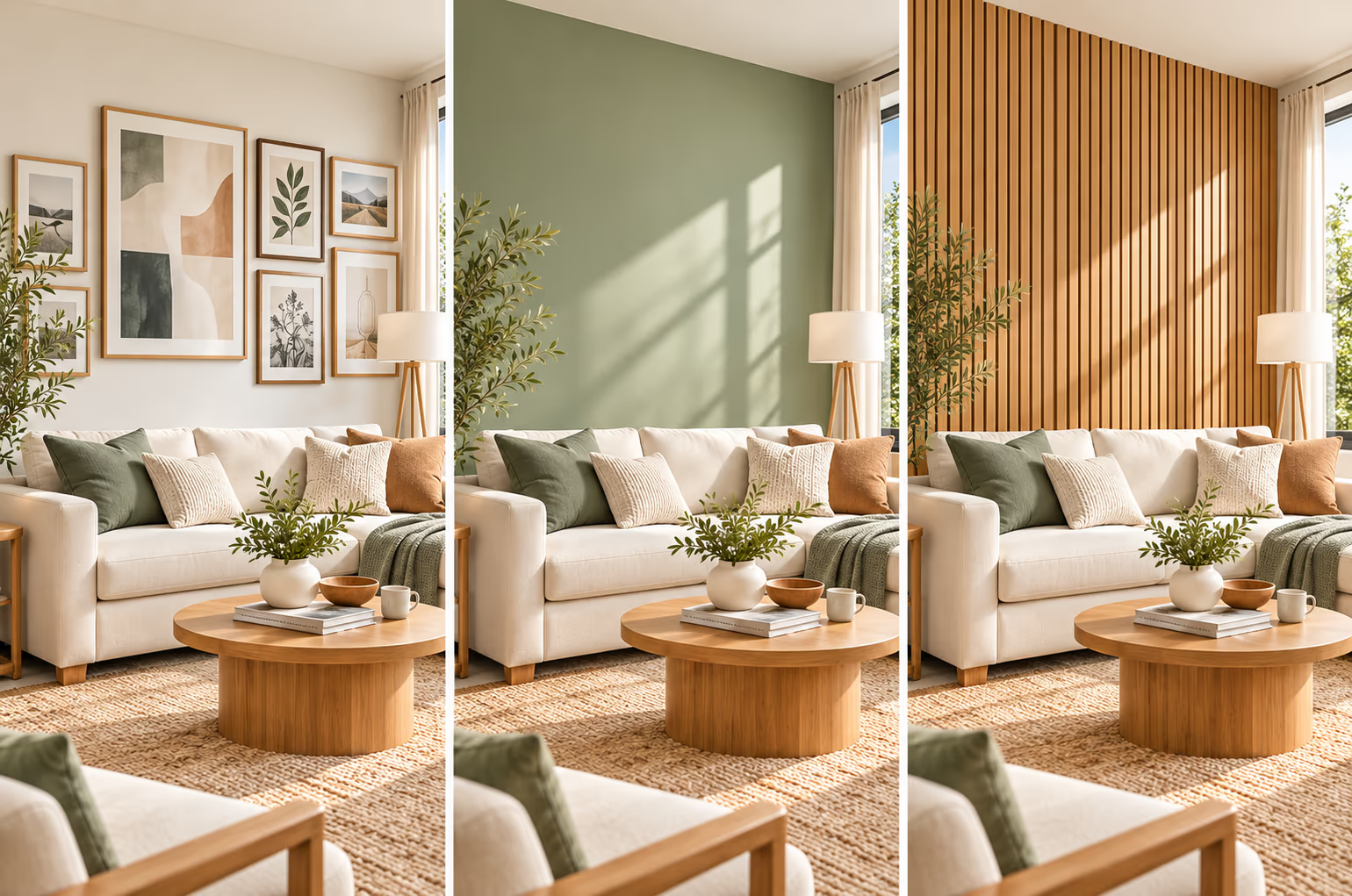
Here's an example of how the same empty room can be styled in different ways without changing the layout.
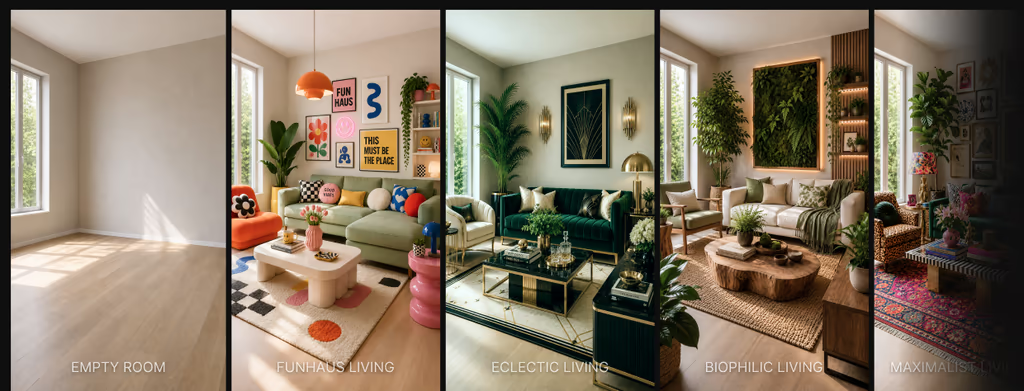
The best way to use AI interior design is to generate multiple versions until you find the one you like best. Most AI interior design apps we tested let you create new versions from an existing design, making it easy to compare styles before you decide. We recommend you pick the app with the most styles and customization options. Learn more about how to decorate with AI in 2026.
Frequently asked questions
Based on our testing, DecorAI ranked as the best AI interior design app in 2026. It offers beginner-friendly tools for interiors, exteriors, and landscapes, making it a good fit for homeowners, renters, interior designers, and real estate professionals. New users can also generate 3 free AI redesigns during the trial.
Not entirely. AI interior design apps are best for visualization, idea generation, and style exploration. They help you see your space in a new direction before spending money on furniture or renovation work. For structural changes, contractor coordination, or complex projects, a professional designer still brings value that AI cannot replicate.
Modern AI interior design apps can preserve your room layout, especially the top-performing ones we tested. They keep your walls, windows, doors, and room proportions while redesigning colors, materials, furniture, and decor. This is ideal for homeowners and renters who want a fresh look without structural changes or renovation work.
Based on our testing, DecorAI is the best AI interior design app with a free trial. New users receive 3 free AI redesigns during the 1-day trial and can try more than 20 AI tools before subscribing.
An AI interior design app saves time and money by letting you explore renovation ideas before buying furniture, hiring a designer, or starting renovation work. It helps homeowners, renters, Airbnb hosts, and real estate professionals see different styles in minutes instead of days.
Based on our testing, DecorAI is the best AI interior design app for beginners. You can generate a photorealistic redesign in just three steps with DecorAI, and no design experience is required.
Yes. Most AI interior design apps, including DecorAI, Interior AI, and RoomGPT, are designed for beginners. Simply upload a photo of your room, choose a style, adjust a few settings if needed, and generate your redesign.
Many AI interior design apps offer free trials or limited free plans, but most require a paid subscription or credits for continued use. The number of free designs, available features, and image quality vary from one app to another.
Yes. Modern AI interior design apps can redesign more than living rooms and bedrooms. Some platforms, including DecorAI, also support kitchens, bathrooms, exteriors, gardens, landscapes, and virtual staging.
Final Thoughts
After retesting 16 AI interior design apps a year later, the landscape in 2026 looks different. AI interior design has gone mainstream, with The New York Times covering how these tools are changing the way people approach home renovation and staging. Our retest of 16 apps shows the technology has improved significantly. Layout accuracy has improved across the apps. Free tiers are more generous and less confusing. And the gap between apps created for homeowners and professional designers has never been clearer. The competition to be the best AI interior design app is intense. New tools enter this space every few months, and older ones are forced to add features fast to keep up.
If you want one app that covers every space in your home, DecorAI is the best choice we found. It eliminates the hassle of multiple subscriptions or credit packs. Its unlimited design model and more than 20 specialized tools give it an edge unmatched by any other app.
For professional workflows, Spacely AI and mnml offer integrations and collaboration features that homeowner-focused tools do not. And if you prefer a human in the loop, Havenly pairs AI with real designers for a different kind of result.
The best AI interior design app is the one that fits your project, your budget, and your comfort level with technology. Start with a clear photo, pick a style you like, and iterate from there. That is where these tools shine.
Try the Best AI Interior Design App
Try it with your own room. Upload a photo and generate 3 free AI redesigns to see how DecorAI transforms your space.